
6 Contact Manager CRM Benefits That Boost Sales
Last updated November 5, 2026
A contact manager CRM transforms how businesses handle customer relationships, sales pipelines, and marketing campaigns. This guide examines six proven benefits backed by real-world implementations, including data from businesses using platforms like Capsule CRM and modern AI-powered solutions.
Table of contents
- 1. A contact manager CRM centralizes customer information, eliminating scattered data and improving sales team efficiency.
- 2. Contact management software automates tedious tasks, freeing up sales teams to focus on building relationships and closing deals.
- 3. Integrating contact management with marketing tools allows for personalized campaigns that convert more leads into customers.
- 4. Modern contact manager CRMs enhance sales forecasting and reporting by providing clear insights into customer interactions and pipeline status.
- 5. Effective contact management extends beyond sales to improve customer service, fostering loyalty and repeat business.
- 6. A contact manager CRM provides a single platform for managing all aspects of the customer journey, from lead capture to post-sale support.
- How to Choose the Right Contact Manager CRM for Your Business
- Understanding CRM Pricing Models and Total Cost of Ownership
- Getting Started with Your Contact Manager CRM Implementation
- Frequently asked questions
1. A contact manager CRM centralizes customer information, eliminating scattered data and improving sales team efficiency.
Instead of searching across spreadsheets, email, and sticky notes, all contact details, communication history, and sales activities live in one place. This centralization helps sales teams quickly find what they need, saving valuable time and ensuring no lead falls through the cracks. A single source of truth for customer data makes it easier to track interactions, understand customer needs, and personalize outreach.
Launch CRM replaces multiple business tools with a single, all-in-one AI-powered platform, streamlining operations and reducing software costs while keeping every customer touchpoint visible. Your team can access complete customer histories instantly. They spend less time hunting for information and more time having meaningful conversations that close deals. The centralized database means everyone sees the same up-to-date information, preventing duplicate outreach or contradictory messages that confuse prospects.
Businesses using Capsule CRM reported increased efficiency in managing contacts and sales pipelines, leading to better customer relationships and revenue growth. Their users highlight the ease of use and ability to consolidate customer data as key benefits.
Source: Capsulecrm
2. Contact management software automates tedious tasks, freeing up sales teams to focus on building relationships and closing deals.
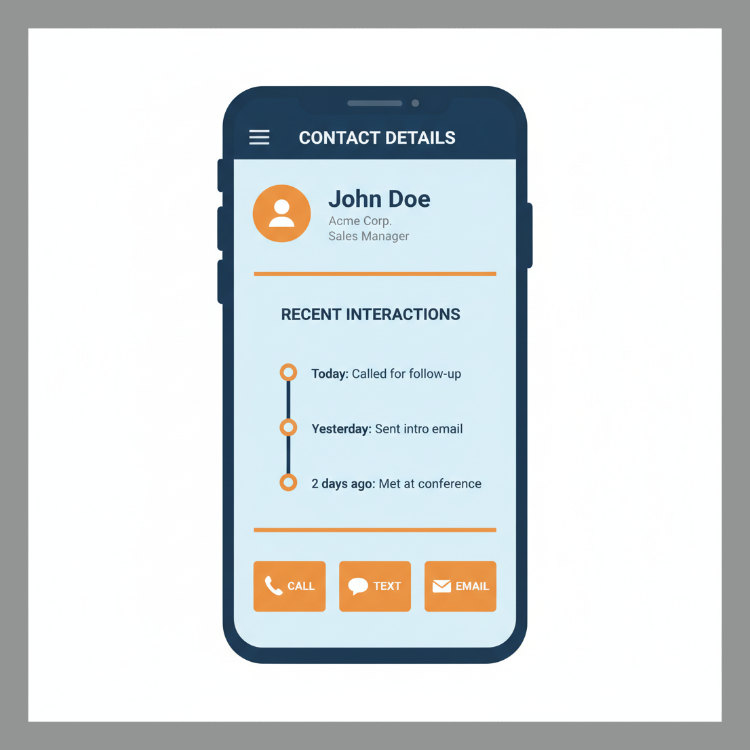
Automations handle repetitive actions like sending follow-up emails, updating contact records, or scheduling tasks. This reduces manual data entry and administrative burdens, allowing sales representatives to dedicate more time to active selling and customer engagement. By automating workflows, businesses can ensure consistent follow-up and nurture processes without human oversight, improving conversion rates.
Our AI Agent, Rocket, responds to leads in under 60 seconds, automates appointment booking, and handles review posting, ensuring no opportunity is lost to slow response times. While your competitors are checking voicemail or returning missed calls hours later, Rocket engages the prospect immediately with intelligent conversation. This speed advantage directly translates to higher conversion rates. The first business to respond typically wins the deal.
Sales automation features like workflow triggers, task creation, and email sequences run without anyone clicking a button. Your team can set up rules once and let the system handle routine touchpoints. They're free to focus on complex negotiations and relationship building that require human judgment.
Source: Capsule CRM
3. Integrating contact management with marketing tools allows for personalized campaigns that convert more leads into customers.
A good contact manager CRM offers features for managing marketing campaigns, including email marketing and social media integration. This integration allows businesses to segment contacts based on their preferences, past interactions, or demographics, delivering targeted messages. By aligning marketing efforts with sales activities, companies can ensure a cohesive customer journey from initial contact to conversion.
We offer comprehensive marketing capabilities, including email and SMS marketing, web chat, missed call text back, and social media DM management across platforms like Facebook, Instagram, and LinkedIn. When your marketing and sales data lives in the same system, you can build campaigns that respond intelligently to prospect behavior. Someone who opens three emails but hasn't booked a call gets a different follow-up sequence than someone who attended a webinar but hasn't requested pricing.
This coordination creates a seamless experience for the prospect. They receive the right message at the right moment based on their actual engagement, not a generic schedule. The result? Higher response rates and shorter sales cycles, because your outreach feels personalized rather than automated.
Source: Capsule CRM
4. Modern contact manager CRMs enhance sales forecasting and reporting by providing clear insights into customer interactions and pipeline status.
The software tracks sales pipelines, showing the progress of each lead and identifying potential roadblocks. Detailed reports on sales activities, conversion rates, and customer behavior help businesses make informed decisions and optimize their strategies. Understanding where deals stand and predicting future sales becomes more accurate, leading to better resource allocation and goal setting.
Launch CRM provides advanced sales automation features like sales funnels, pipelines, invoicing, and text-to-pay, plus a reporting dashboard that gives real-time visibility into every stage of your sales process. You can see exactly how many prospects are at each stage, which reps are performing best, and where deals typically stall. That insight tells you exactly where to focus coaching and process improvement. Maybe your discovery call-to-proposal conversion rate is strong, but proposals sit for weeks without closing.
Forecasting becomes reliable when your CRM captures every interaction. Instead of guessing based on gut feel, you can predict revenue based on historical conversion rates at each pipeline stage. This clarity helps you staff appropriately, budget accurately, and set realistic targets.
Source: Capsule CRM
5. Effective contact management extends beyond sales to improve customer service, fostering loyalty and repeat business.
With a comprehensive view of customer history, support teams can quickly understand past interactions, preferences, and issues. This enables faster, more personalized service, resolving queries efficiently and enhancing the overall customer experience. Improved customer satisfaction often leads to stronger relationships, positive reviews, and increased customer retention.
Our platform includes built-in reputation and review management to help businesses gather and manage customer feedback effectively, turning satisfied customers into brand advocates. When a support rep can see that a customer previously had a billing issue that was resolved, they approach the current question with context. They know what solutions worked before and what frustrated the customer, allowing them to deliver service that feels attentive rather than generic.
The same CRM that powers your sales team can also trigger automated satisfaction surveys, request reviews from happy customers, and alert managers when negative feedback appears. This systematic approach to reputation management means you're consistently building social proof while catching and resolving problems before they escalate.
Source: Capsule CRM
6. A contact manager CRM provides a single platform for managing all aspects of the customer journey, from lead capture to post-sale support.
The system captures leads from various sources like web forms, calls, and emails, centralizing them for easy follow-up. It supports nurturing processes through automated campaigns and tracks interactions across multiple channels. By providing a holistic view of each customer, businesses can deliver a consistent and personalized experience at every touchpoint, improving conversion and retention.
Launch CRM includes a full AI Employee Suite with six specialized AI teammates to manage various business tasks 24/7, such as Conversation AI, Voice AI, and Reviews AI. A prospect fills out a web form at midnight? Sends a Facebook message on Sunday? Calls during lunch when your team is unavailable? The system captures that lead and begins engagement immediately. Nothing falls between the cracks because you were using one tool for web chat, another for phone calls, and a third for email follow-up.
This unified approach means every team member sees the complete customer story. Marketing knows which campaigns generated the lead. Sales knows every conversation that's happened. Support knows the full purchase and service history. That continuity creates a professional, organized impression that builds trust and reduces friction throughout the entire customer relationship.
Source: Capsule CRM
How to Choose the Right Contact Manager CRM for Your Business
Start by listing your specific needs: lead capture methods, team size, marketing channels you use, and integration requirements with existing tools. Evaluate whether the platform offers genuine all-in-one capabilities or requires multiple subscriptions to deliver the features you need. Check for AI-powered automation features that can reduce manual work, especially around lead response time and appointment scheduling.
Look for pricing transparency and understand what's included at each tier, including hidden costs for support, additional users, or feature unlocks. Consider platforms that consolidate multiple functions into one system rather than connecting separate tools, which reduces complexity and often lowers total cost. Launch CRM consolidates CRM, marketing, sales automation, and AI agents into one platform, eliminating the need for separate subscriptions and reducing software stack complexity.
Test the user interface and onboarding process to ensure your team can adopt the system quickly without extensive training. Request demos or trial periods to see how the platform handles your actual workflows. The right choice balances feature depth with ease of use, ensuring your team will actually adopt the system rather than reverting to spreadsheets and email.
Understanding CRM Pricing Models and Total Cost of Ownership
CRM pricing typically follows per-user-per-month models, but total cost includes setup fees, training, integrations, and potential overage charges for contacts or emails. Some platforms charge separately for marketing automation, AI features, and advanced reporting, which can double or triple the advertised base price. Salesforce CRM pricing, for example, ranges from $25 per user per month for basic features to over $300 per user per month for enterprise capabilities, often requiring additional purchases for full functionality.
All-in-one platforms like Launch CRM replace multiple subscriptions with a single predictable monthly fee, covering CRM, email and SMS marketing, sales funnels, AI phone agents, and more. Calculate your current software spend across CRM, email marketing, SMS tools, scheduling systems, and review management to compare against consolidated platforms. Many businesses discover they're paying for five or six separate tools when one comprehensive system would cost less and work better.
Factor in implementation time and the cost of training your team on multiple systems versus one unified interface. Hidden costs also include the staff hours spent moving data between disconnected tools, troubleshooting integration failures, and reconciling conflicting information across platforms. Visit our comprehensive platform overview to see exactly what's included at each pricing level with no hidden fees.
Getting Started with Your Contact Manager CRM Implementation
Begin by auditing your existing contact data sources: spreadsheets, email inboxes, business card collections, and any legacy software. Clean your data before migration by removing duplicates, standardizing formats for phone numbers and addresses, and filling in missing information. Map out your sales process stages and customer journey touchpoints so you can configure pipelines and automations that match your actual workflow.
Start with a pilot group of users who can test the system, identify friction points, and become internal champions before rolling out company-wide. Set up essential automations first (lead assignment, follow-up sequences, appointment reminders) which deliver immediate time savings. Launch CRM offers a straightforward onboarding process with templates for common industries, making it faster to launch your first campaigns and sales funnels.
Schedule regular check-ins during the first 90 days to review adoption rates, address user questions, and optimize workflows based on real usage data. Track metrics like login frequency, pipeline updates, and email campaign engagement to ensure your team is actually using the system. Celebrate early wins: a deal closed because of automated follow-up, or a five-star review generated through the reputation management feature. These build momentum.
Implementation success depends less on technical complexity and more on change management. When your team understands how the CRM makes their daily work easier rather than harder, adoption happens naturally. Call us at 760-253-1477 to discuss your specific implementation needs and get personalized guidance on migrating to Launch CRM.
Frequently asked questions

What is a contact manager CRM?
A contact manager CRM is software that centralizes customer information, tracks interactions, and automates sales and marketing tasks in one database. It stores details like contact information, communication history, deal stages, and preferences, making it easy for teams to access and update customer records. Unlike basic contact lists, a CRM includes automation, pipeline tracking, and reporting features designed to improve sales efficiency and customer relationships. Modern platforms like Launch CRM add AI-powered features such as automated lead response, intelligent appointment booking, and 24/7 customer interaction handling.
How does contact management work in CRM?
Contact management in a CRM captures lead data from multiple sources like web forms, phone calls, emails, and social media messages into a unified database. The system automatically logs every interaction (emails sent, calls made, meetings held, deals progressed), creating a complete customer timeline. Automated workflows trigger actions based on contact behavior, such as sending follow-up emails when a lead downloads content or assigning a sales rep when a contact requests a demo. Teams can segment contacts by criteria like industry, deal stage, or engagement level to deliver targeted campaigns and personalized outreach.
What features should a contact manager CRM have?
Essential features include contact database management, interaction tracking, sales pipeline visualization, task automation, and email integration. Look for marketing capabilities like email campaigns, SMS messaging, landing pages, and social media management to support lead nurturing. Advanced platforms offer AI-powered tools such as automated lead response, voice agents that answer calls, and intelligent scheduling that books appointments without human intervention. Reporting and analytics features should provide visibility into sales performance, conversion rates, campaign effectiveness, and revenue forecasts. Integration capabilities with other business tools like accounting software, e-commerce platforms, and communication apps extend the CRM's value across your entire operation.
What is the difference between a contact manager and a full CRM?
A basic contact manager focuses primarily on storing and organizing contact information with limited automation or sales features. A full CRM adds sales pipeline management, opportunity tracking, forecasting, advanced automation, and often includes marketing and customer service modules. Full CRM systems typically offer deeper integrations, more sophisticated reporting, multi-user collaboration features, and customizable workflows. Modern all-in-one platforms like Launch CRM go further by incorporating AI agents, complete marketing suites, sales funnels, invoicing, and reputation management in one system. The choice depends on your business complexity: simple contact tracking versus managing the entire customer lifecycle from lead capture through post-sale support.
How can a contact manager CRM help improve customer retention?
A CRM tracks customer history, preferences, and past issues, enabling support teams to deliver personalized, context-aware service that builds loyalty. Automated follow-up sequences ensure customers receive timely check-ins, renewal reminders, and value-added content that keeps your business top of mind. Review and reputation management features help you systematically request feedback, address concerns quickly, and turn satisfied customers into public advocates. Analytics identify at-risk customers based on engagement patterns, allowing proactive outreach before they churn. Launch CRM's Reviews AI automatically prompts happy customers for reviews and monitors feedback channels, making reputation management a systematic process rather than an afterthought.
What security features should I look for in a contact manager CRM?
Essential security features include data encryption both in transit and at rest, role-based access controls that limit what each team member can view or edit, and regular automated backups. Look for compliance certifications relevant to your industry, such as GDPR for European customers or HIPAA for healthcare data. Two-factor authentication adds an extra layer of protection by requiring a second verification step beyond passwords. Audit logs that track who accessed or modified data help maintain accountability and assist in compliance reporting. Consider where data is stored geographically and whether the vendor offers options for data residency to meet local regulations.
How does a contact manager CRM support remote sales teams?
Cloud-based CRM systems provide access from any device with an internet connection, allowing remote teams to update records, check pipeline status, and communicate in real time. Mobile apps enable field sales representatives to access contact information, log activities, and update deal stages while traveling or meeting customers on-site. Centralized communication histories eliminate the confusion of scattered emails and messages, ensuring everyone sees the same customer information regardless of location. Automated task assignment and notification systems keep remote teams coordinated without constant manual check-ins or status meetings. Launch CRM's web chat, missed call text back, and AI phone agent ensure leads receive immediate responses even when your team is unavailable, bridging time zones and schedules.
Can a contact manager CRM integrate with my existing email and calendar?
Most modern CRM platforms integrate with popular email providers like Gmail and Outlook, automatically logging sent and received messages to contact records. Calendar integrations sync appointments bidirectionally, allowing you to book meetings in your CRM that appear in your personal calendar and vice versa. These integrations reduce duplicate data entry and ensure your CRM reflects your actual activities without manual updating. Launch CRM includes built-in email marketing, calendars, and booking systems that work seamlessly together, eliminating the need to connect external tools. Look for platforms that offer native integrations rather than relying solely on third-party connectors like Zapier, which can add complexity and failure points.
Ready to transform your customer relationships with a complete business platform? Launch CRM replaces multiple subscriptions with one AI-powered system that manages contacts, automates marketing, closes sales, and delights customers. Our AI Employee Suite handles lead response, appointment booking, and review management 24/7, so you never miss an opportunity. Contact our team to learn more about how Launch CRM can revolutionize your business.

