
Electronic Commerce Platforms Strategies
Last updated November 22, 2026
Electronic commerce platforms are software systems that enable businesses to sell products and services online through digital storefronts, payment processing, and order management tools. The right strategy can transform how you sell and serve customers online. These eight strategies come from analyzing current market demands, real-world integration challenges, and the operational efficiency gains businesses achieve when they consolidate tools and automate customer interactions.
Table of contents
- Key features and strategic considerations
- 1. Consolidate your tools into a single login to improve lead response times and save on subscription costs
- 2. Deploy an AI agent to handle immediate lead response and appointment booking while you are busy
- 3. Automate your follow-up workflows to nurture leads that do not buy on the first visit
- 4. Offer diverse payment gateways and mobile-responsive checkouts to reduce cart abandonment
- 5. Prioritize a user-friendly interface that reduces technical barriers for your internal team
- 6. Integrate built-in SEO and marketing tools to drive organic traffic without extra plugins
- 7. Leverage multi-store management and custom pricing for complex B2B or enterprise needs
- 8. Maintain full control of your store by choosing between self-hosted and SaaS models based on your budget
- How to Transition From Multiple Tools to One Business Operating System
- Best Practices for Using Generative AI Platforms Without Manual Export Steps
- Measuring ROI by Lead Response Time and Conversion Rate Instead of Traffic Alone
- Frequently asked questions
Key features and strategic considerations
| Feature | Why It Matters | Implementation |
|---|---|---|
| Unified CRM integration | Eliminates data silos and speeds up lead response | Launch CRM consolidates customer management, automation, and invoicing in one login |
| AI-powered lead response | Prevents prospects from going cold after hours | Rocket handles calls, booking, and review collection 24/7 |
| Abandoned cart recovery | Recaptures revenue from incomplete purchases | Automated email and SMS sequences trigger within minutes |
| Mobile payment optimization | Reduces friction at checkout | Text-to-pay and Apple Pay integration |
| SEO and content tools | Drives organic traffic without plugins | Native blogging, clean URLs, and reporting dashboards |
| Multi-store management | Scales for enterprise and B2B needs | Single admin panel for multiple storefronts and custom pricing |
1. Consolidate your tools into a single login to improve lead response times and save on subscription costs
Replace disconnected marketing tools with an all-in-one platform that handles CRM, email, and SMS in one place. A unified system eliminates the need for manual data export and import between campaign management and sales tools. When your storefront, follow-up sequences, and customer records live under one roof, you respond faster because there's no context switching between dashboards.
Centralizing operations reduces the app fatigue and high costs associated with managing five to ten different business subscriptions. Launch CRM combines customer management, email and text marketing, automation, sales funnels, booking, and invoicing in one login. This consolidation means your team spends less time logging into separate platforms and more time closing deals.
The reporting dashboard shows which campaigns generate revenue, so you can cut underperforming channels and reinvest in what works. See how the Launch Commerce offering brings these tools together.
2. Deploy an AI agent to handle immediate lead response and appointment booking while you are busy
Use conversational AI to respond to web chat and social media messages in real time, preventing leads from going cold. Implement an AI phone receptionist that can answer calls and book appointments directly into your calendar. Speed matters. Prospects move on to competitors within minutes if they don't get a reply.
Rocket is the built-in AI agent within Launch CRM that handles lead response, answers phone calls, books appointments, and helps customers post reviews, ensuring follow up continues when the owner is busy. This level of automation transforms how you capture demand: instead of losing evening and weekend inquiries to voicemail, the AI qualifies each caller and schedules them before they hang up.
"Rocket, the AI agent within Launch CRM, transforms lead capture by handling calls, booking appointments, and prompting review collection automatically, ensuring no prospect goes unattended."
Reputation management also improves because Rocket prompts satisfied customers to leave reviews immediately after a transaction, building social proof without manual effort. The result? Higher conversion rates and better online ratings without hiring additional staff. For more on AI-driven customer interactions, explore conversational AI platforms.
3. Automate your follow-up workflows to nurture leads that do not buy on the first visit
Set up abandoned cart sequences that automatically trigger emails or texts to remind shoppers of their items. Use a CRM that connects website visitor identification with automated direct mail or email workflows. Create missed call text back automations so every inbound call receives an immediate response even if you can't pick up.
Launch Cart, the ecommerce toolkit included in the Launch CRM stack for storefronts and product catalogs, handles abandoned cart follow up alongside the CRM and marketing tools. These workflows recover revenue that would otherwise vanish: a shopper who leaves without buying gets a personalized reminder within an hour, and a prospect who calls outside business hours receives a text asking how you can help.
The automation runs continuously, nurturing leads through multiple touchpoints until they're ready to purchase. You can also segment audiences by behavior, sending different messages to first-time visitors versus repeat customers, so each follow-up feels relevant rather than generic.
4. Offer diverse payment gateways and mobile-responsive checkouts to reduce cart abandonment
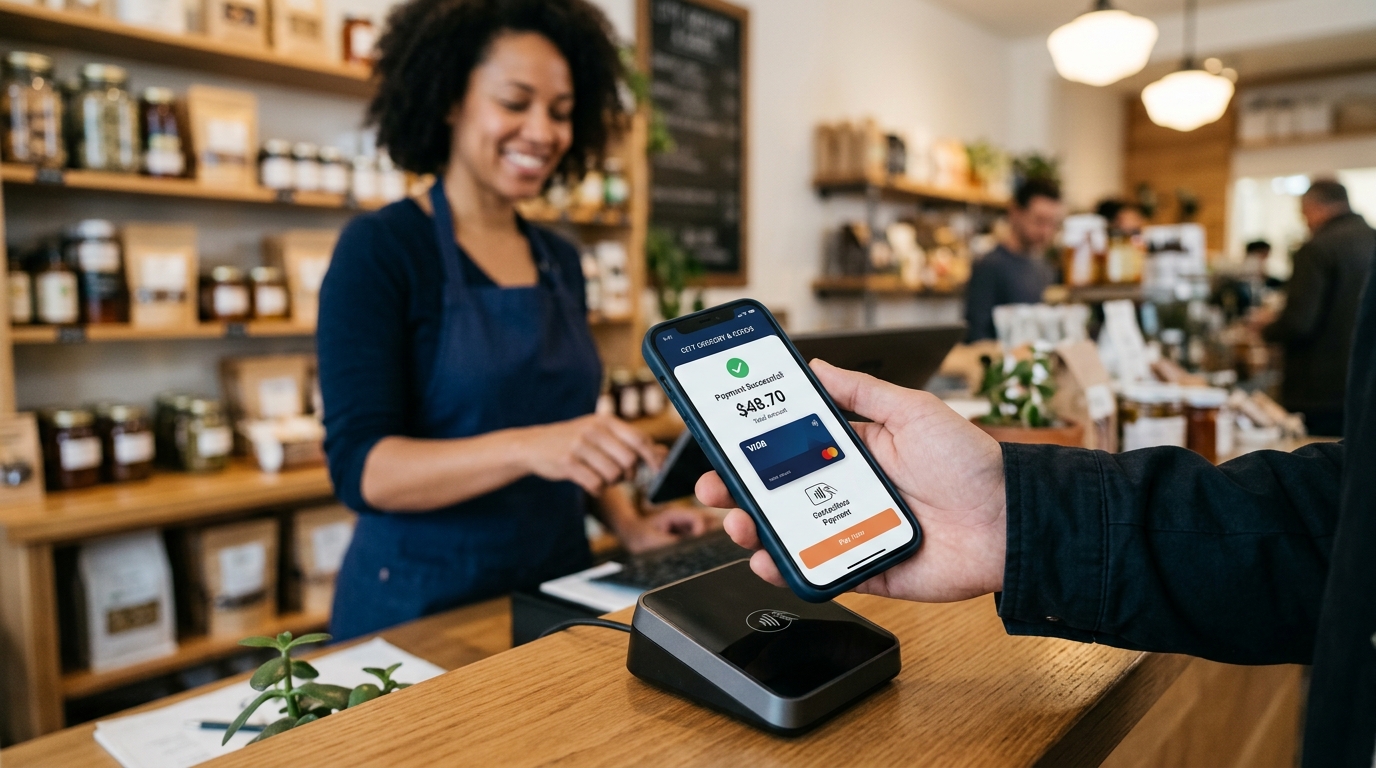
Integrate popular methods like credit cards, PayPal, and Apple Pay to meet varying customer preferences. Verify that the checkout process is fully optimized for mobile devices, as a large percentage of ecommerce happens on phones. Utilize text to pay features to let customers complete transactions quickly via SMS.
Global retail ecommerce sales are projected to surpass $6 billion in 2024 and $8 billion by 2025, making mobile payment optimization a critical revenue driver, according to ecommerce market projections. Payment Gateway technology is the foundation that processes transactions and secures customer payment data throughout this process.
Remove friction at checkout by offering the payment method a customer already trusts, and conversion rates climb. Text to pay is especially powerful for service businesses: send an invoice via SMS, and the customer taps a link to settle the bill instantly. Test your checkout flow on a smartphone to confirm buttons are large enough to tap, forms autofill properly, and the entire process completes in under a minute.
5. Prioritize a user-friendly interface that reduces technical barriers for your internal team
Select a platform that lets you manage products, customers, and orders without deep technical expertise. The administrative dashboard should be intuitive enough to handle daily operations including inventory updates and customer queries hassle free. Look for no-code capabilities that let you adjust the site without hiring a developer for every change, as outlined by Key Features of E-Commerce Platforms.
When your team can update product descriptions, process refunds, or tweak a landing page on their own, you save both time and consulting fees. The best electronic commerce platforms present complex functionality through simple visual builders: drag a form field into place, choose a trigger for an automation, or swap a photo without touching code.
This accessibility means marketing staff can launch campaigns independently, and customer service reps can resolve issues without escalating every request to IT.
6. Integrate built-in SEO and marketing tools to drive organic traffic without extra plugins
Verify the platform supports custom meta tags, clean URL structures, and sitemap generation. Choose a system that includes native blogging or content creation tools to improve search engine rankings. Use built-in reporting dashboards to monitor which marketing channels are driving the highest ROI, as recommended by Key Features of E-Commerce Platforms.
Launch CRM includes workflow automations, sales funnels, SMS marketing, and a reporting dashboard to track performance across all channels. When SEO and content features are native rather than bolted on through plugins, you avoid compatibility headaches and security gaps. A clean URL structure helps search engines crawl your pages efficiently, while native blogging tools let you publish optimized content that attracts organic visitors.
The reporting layer ties everything together, showing which blog posts generate the most leads and which automations convert readers into buyers, so you double down on what works.
7. Leverage multi-store management and custom pricing for complex B2B or enterprise needs
Look for platforms that support managing multiple storefronts from a single administrative panel. Implement custom pricing tiers for different customer segments to handle wholesale or VIP accounts. The platform should scale as your project complexity grows, from basic retail to multi-vendor setups, according to Ecommerce Market Projections.
Enterprise buyers often require net-30 terms, volume discounts, or account-specific catalogs that show only approved SKUs, and your platform must accommodate those workflows without requiring separate stores. Multi-store management is critical when you operate branded sites for different regions, languages, or business units.
Update inventory in one place and watch stock levels sync across every storefront automatically. Custom pricing logic lets you charge retail customers full price while applying graduated discounts for wholesale partners, all from the same product database, so you avoid duplicate data entry and conflicting records.
8. Maintain full control of your store by choosing between self-hosted and SaaS models based on your budget
Self-hosted options like WooCommerce provide full control but require reliable ecommerce hosting and maintenance. SaaS platforms like Shopify or BigCommerce handle the hosting for you in exchange for a monthly subscription fee. Budget for hidden expenses beyond the subscription including premium themes, plugins, and transaction fees, as explained by Key Features of E-Commerce Platforms.
WooCommerce is a self-hosted ecommerce plugin for WordPress that offers full control over the store environment, while Shopify is a widely used SaaS ecommerce platform known for ease of use and integrated payment options. BigCommerce is a prominent ecommerce platform noted for its key features and scalability for online stores.
Self-hosted stores let you customize every file and install any extension, but you're also responsible for server security, backups, and software updates. SaaS platforms remove that burden: they patch vulnerabilities, scale server resources during traffic spikes, and guarantee uptime, freeing your team to focus on marketing and sales. Compare total cost of ownership over twelve months (including developer hours for a self-hosted store versus monthly SaaS fees plus transaction percentages) to determine which model fits your budget and technical capacity.
How to Transition From Multiple Tools to One Business Operating System
Audit your current software stack and list every tool you pay for: email marketing, CRM, text messaging, booking calendars, invoicing, and webinar platforms. Calculate the total monthly cost and the hours your team spends logging into separate systems and manually moving data between them. Look for a platform that consolidates at least five of your most critical tools, then run a parallel test for 30 days to verify that lead response times improve and subscription costs drop.
The Launch Commerce stack connects Launch CRM, Launch Ads, Launch AI Academy, Launch Webinars, and Launch Data into one integrated system. Launch Ads is an AI advertising platform that works alongside the CRM to generate and nurture leads, and you can learn more about finding your ideal customer profile.
Launch AI Workforce runs inside Launch CRM and provides instant response across all channels: Voice AI for calls, Chat AI for website and social messages, Reactivate AI for past customers, and Reviews AI for reputation management. This unified approach eliminates the data silos that slow down follow-up. When a prospect fills out a form, the lead appears instantly in your pipeline, triggering an automated welcome sequence and notifying your sales team without requiring middleware or manual imports.
Best Practices for Using Generative AI Platforms Without Manual Export Steps
Many businesses struggle with AI-assisted content creation that requires manual export and import steps between the AI tool and the campaign management platform. Choose a generative AI platform that integrates directly with your CRM and marketing tools so that content, workflows, and campaigns update in real time. Look for tools that include Content AI, Funnel AI, and Workflow AI within the same dashboard where you manage leads, so you can generate marketing assets and deploy them without switching systems.
Launch CRM includes an AI Employee suite with Content AI and Funnel AI that work inside the platform, eliminating the need for separate content creation tools. For a broader comparison, see the best generative AI platform for business options available.
This approach is especially valuable for businesses that run high-volume campaigns and need to test multiple variations quickly without technical bottlenecks. When you draft an email sequence, the AI suggests subject lines and body copy based on your industry and past campaign performance, then publishes directly to your automation queue with one click. You spend less time copying and pasting and more time refining strategy. Learn more about AI content creation workflows.
Measuring ROI by Lead Response Time and Conversion Rate Instead of Traffic Alone
Many businesses focus on website traffic and ad impressions but fail to measure how quickly they respond to inbound leads or how many of those leads convert into paying customers. Set a benchmark for lead response time (aim for under five minutes for the first reply) and track how that speed affects your conversion rate.
Use a CRM reporting dashboard that shows missed calls, unanswered chats, and abandoned carts so you can identify where leads are falling through the cracks. Implement missed call text back and web chat automations to guarantee every prospect receives an immediate response, even when your team is unavailable.
Launch CRM provides a reporting dashboard that tracks lead sources, response times, and pipeline progress, making it easy to calculate ROI across all marketing channels. The first business to reply often wins the customer, yet most teams still measure success by impressions rather than speed to contact. By shifting focus to response time and conversion rate, you uncover operational inefficiencies that cost you revenue, then fix them with automations that reply instantly and route hot leads to your best closers.
Frequently asked questions

What are ecommerce platforms?
Electronic commerce platforms are software systems that enable businesses to sell products and services online through digital storefronts, payment processing, and order management. They include both SaaS platforms like Shopify and BigCommerce (which host your store for a monthly fee) and self-hosted options like WooCommerce that you install on your own server. Modern ecommerce platforms also integrate CRM, marketing automation, and AI tools to manage the entire customer journey from first visit to repeat purchase.
How do ecommerce platforms integrate with CRM?
Integration between ecommerce platforms and CRM systems lets customer purchase history, abandoned carts, and browsing behavior flow directly into automated follow-up workflows. The best setups use a single platform that combines the storefront, payment gateway, and CRM in one login, eliminating the need for middleware or custom API connections. Launch CRM includes Launch Cart, the ecommerce toolkit with storefronts, checkout, product catalogs, and abandoned cart follow up alongside the CRM and marketing tools.
How can I manage all my business tools in one platform?
Replace separate subscriptions for email marketing, text messaging, booking, invoicing, webinars, and CRM with an all-in-one system that handles every function from a single dashboard. Look for platforms that offer at least eight core tools (lead management, automation, payment processing, and reporting) so you can retire legacy software without losing functionality. Launch CRM consolidates customer management, email and text marketing, automation, sales funnels, booking, invoicing, and an AI phone receptionist in one login.
How does the AI agent handle phone calls and appointments?
An AI phone agent answers inbound calls, qualifies leads by asking pre-set questions, and books appointments directly into your calendar without human intervention. It can also handle missed call text back, sending an automatic SMS to every caller who reaches voicemail so you never lose a hot lead. Rocket, the built-in AI agent within Launch CRM, responds to leads, answers phone calls, books appointments, and helps customers post reviews, ensuring follow up continues 24/7.
Does AI-assisted content creation typically plug into campaign management platforms or does it always require manual export and import steps?
Most standalone generative AI platforms require you to generate content in one tool, then copy and paste it into your email marketing or social media scheduler, creating extra steps and version control issues. The best generative AI platform for business integrates Content AI directly inside the campaign management dashboard so you can create, edit, and publish without leaving the system. Launch CRM includes Content AI and Funnel AI as part of the AI Employee suite, so you can generate marketing assets and deploy them in the same workspace where you manage leads and automations.
What kind of reporting does Launch CRM offer?
Launch CRM provides a reporting dashboard that tracks lead sources, response times, pipeline progress, conversion rates, and revenue by channel in real time. You can see which marketing campaigns generate the highest ROI, how quickly your team responds to new leads, and where prospects drop off in the sales funnel. This visibility helps you allocate budget to the most effective channels and fix bottlenecks before they cost you revenue.
Can Launch CRM help me build sales funnels?
Yes. Launch CRM includes a drag-and-drop funnel builder that lets you create landing pages, order forms, upsell sequences, and thank-you pages without hiring a developer. Funnel AI can suggest templates and copy based on your industry and goals, reducing the time it takes to launch a new campaign from days to hours. The funnel connects directly to your CRM pipelines, automations, and payment processing so every lead is tracked from first click to final purchase.
Ready to consolidate your business tools and accelerate lead response? Reach out for a personalized consultation, or explore how Launch Commerce brings together CRM, marketing automation, and AI-powered customer engagement in one platform. When you replace five separate subscriptions with a single login, your team spends less time switching between dashboards and more time closing deals that drive revenue.

