
ERP vs CRM: What They Manage and Which Fits Your Business
Last updated November 6, 2026
ERP (Enterprise Resource Planning) integrates back-office operations like finance, inventory, and human resources into a single system. CRM (Customer Relationship Management) manages customer-facing activities including sales, marketing, and service. While ERP focuses on internal processes, CRM centers on customer interactions. Small businesses often need one or both depending on whether their bottleneck is operational efficiency or customer engagement.
Table of contents
- Key takeaways
- What CRM Actually Manages
- What ERP Actually Manages
- Core Differences Between ERP and CRM
- When Your Business Needs CRM
- When Your Business Needs ERP
- Can CRM and ERP Work Together
- How an All-in-One Platform Changes the Calculation
- Comparing Key Features: CRM, ERP, and All-in-One Platforms
- When the All-in-One Approach Has Limits
- Decision Guide: CRM, ERP, or Both
- Addressing Hidden Costs of Multiple Systems
- Data Migration and Implementation Realities
- Real-World Scenarios: Who Benefits Most from All-in-One
- CRM Pricing and How to Start
- Conclusion: Choosing the Right System for Your Business
- Frequently asked questions
Key takeaways
- ERP manages back-office functions like accounting, inventory, and HR, while CRM handles customer interactions, sales pipelines, and marketing campaigns.
- Most small businesses need CRM first if they struggle with lead follow-up, then add ERP capabilities as operations complexity grows.
- All-in-one platforms like Launch CRM now combine core CRM functions with operational tools like invoicing, reporting, and workflow automation.
- Launch CRM's AI Agent responds to leads in under 60 seconds and handles phone calls, automating tasks traditionally split across multiple systems.
- Consolidating tools into one platform eliminates the hidden costs of managing 5 to 12 separate software subscriptions and integrations.
What CRM Actually Manages
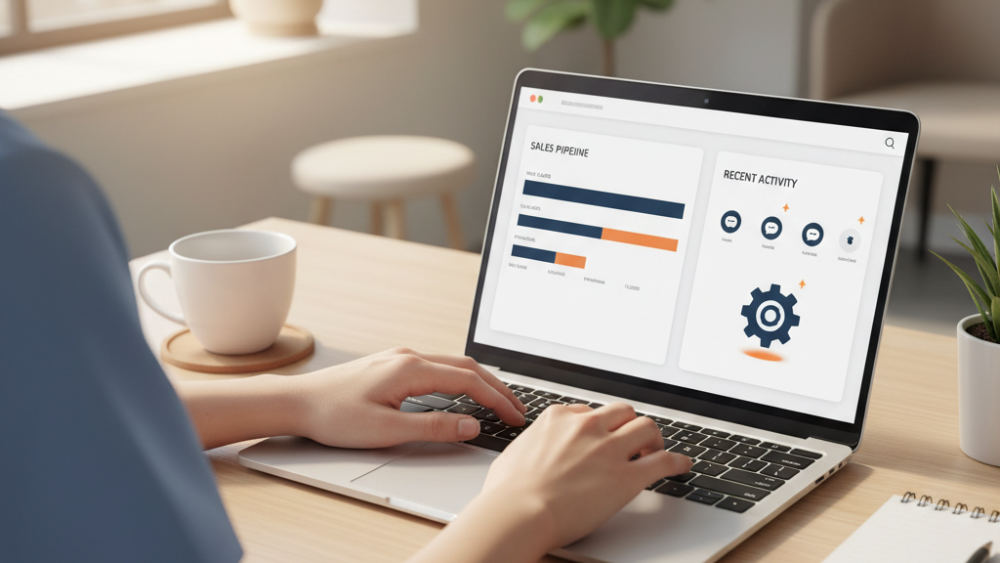
CRM stands for Customer Relationship Management—a system designed to manage all aspects of customer interactions and data throughout the customer lifecycle. At its core, CRM tracks every touchpoint between your business and your customers, prospects, and leads.
Lead management forms the foundation of any CRM platform. This function captures potential customers from multiple sources (web forms, phone calls, social media, walk-ins), tracks their journey through your sales process, and nurtures them with targeted follow-up until they're ready to buy. Without it, businesses lose track of who inquired, when they last made contact, and what offer might close the deal.
Sales pipeline management shows exactly where each prospect sits in the buying journey. Your team sees at a glance who needs a follow-up call, which quotes are pending, and what deals will likely close this month. This visibility prevents leads from falling through the cracks and helps managers forecast revenue with accuracy.
Marketing automation lives inside modern CRM systems, handling email campaigns, SMS marketing, web chat, and social media messaging from one dashboard. You can segment your audience, schedule campaigns, and track which messages drive actual sales. Launch CRM includes email marketing, SMS marketing, web chat, GMB messaging, and sales funnels, connecting every marketing channel to your customer records so you know which campaigns work.
Customer service and support tools track tickets, conversations, and satisfaction scores to maintain relationships after the sale. Your team sees purchase history, previous issues, and account details instantly. This context turns generic support into personalized service that builds loyalty.
What ERP Actually Manages
ERP stands for Enterprise Resource Planning—a system that integrates all facets of an operation into a single database, focusing on back-office functions. Unlike CRM (which looks outward at customers), ERP looks inward at the resources and processes that keep the business running.
Financial management sits at the core of any ERP system. This module handles accounting (general ledger, accounts payable and receivable), budgeting, expense tracking, invoicing, tax compliance, and financial reporting. Scattered finance data across spreadsheets and separate accounting software turns month-end closing into a multi-day headache. ERP centralizes these functions so every transaction flows into one financial picture.
Supply chain management tracks the flow of goods and services from raw materials through manufacturing to final delivery. ERP coordinates inventory levels across multiple warehouses, flags when stock runs low, and forecasts demand based on historical sales. For businesses that buy, make, or ship physical products, this real-time visibility prevents stockouts and excess inventory holding costs.
Human resources functions inside ERP include payroll processing, benefits administration, time and attendance tracking, employee records, performance reviews, and compliance reporting. Calculating true labor costs or generating employment reports for audits requires manual reconciliation when HR data lives in separate systems. ERP gives HR teams a single record for each employee that connects to payroll, scheduling, and benefits.
Production planning and manufacturing modules schedule resources, track work orders, monitor quality control, and measure efficiency across production lines. Manufacturers use ERP to coordinate what gets built, when machines are available, which materials are on hand, and whether output meets specifications. Service businesses rarely need this depth, but it's essential for companies that produce goods.
Core Differences Between ERP and CRM
CRM is customer-centric and manages front-office activities, while ERP is operations-centric and manages back-office processes, according to analysis by Alphavima Technologies and Surety Systems. The distinction comes down to who uses the system and what questions it answers.
Sales, marketing, and customer service teams are the primary users of CRM. They log calls, send campaigns, track deals, and resolve support tickets. Accounting, operations, HR, and supply chain staff are the primary users of ERP. They process invoices, manage inventory, run payroll, and coordinate production schedules. The two systems rarely share the same daily users, even inside the same company.
CRM answers questions like how many leads came in today, what the conversion rate is, which campaigns work best, and who needs a follow-up call tomorrow. ERP answers what inventory is on hand, what the quarterly expenses are, whether production is on schedule, and which vendors are past due. The metrics that matter to sales managers are not the metrics that matter to finance directors.
Data flow differs fundamentally. CRM pulls external data about customers and market behavior: who clicked an email, who visited the website, what questions prospects asked, and which competitors they're considering. ERP consolidates internal data about what the company owns, owes, and produces: cash balances, equipment depreciation, employee hours, and cost of goods sold. Suretysystems, creating overlap in reporting and analytics.
The two platforms often need to share information. An ERP system needs to know when a deal closes in CRM so it can generate an invoice, update revenue forecasts, and schedule fulfillment. CRM should record shipment updates from ERP so customer service can answer "where's my order?" questions. This data exchange is where integration challenges appear, unless a unified platform handles both functions from the start.
When Your Business Needs CRM
You need CRM when leads slip through the cracks because no system tracks who called, emailed, or filled out a form. Every business gets inquiries, but without a central record, half of those potential customers never receive a timely follow-up. Someone writes a number on a sticky note, an email gets buried, or two team members call the same lead twice while a hotter prospect hears nothing.
If your sales team can't instantly see the status of every prospect or what the last conversation covered, CRM solves that visibility problem. Managers shouldn't ask "did you call that guy back?" or "what happened with the quote we sent last week?" The pipeline should show every deal, every stage, and every next action at a glance.
Growing businesses hit a wall when manual follow-up can't keep pace with inbound volume, and response times stretch past 24 hours. Speed matters. Seventy-eight percent of customers buy from the company that responds first. If your team checks messages once a day or waits until they're back at their desk, you're losing deals to faster competitors.
Speed wins: Launch CRM's Rocket AI agent responds to leads in under 60 seconds, a speed impossible when sales teams toggle between separate CRM and communication tools.
CRM connects marketing spend to closed deals. You'll see that Google ads brought in 40 leads but only three converted, while SMS campaigns brought 12 leads and eight became customers. That insight shifts budget to what works.
Service complaints or repeat questions signal that customer history is scattered across email inboxes and spreadsheets instead of one shared record. A customer calling for the third time about the same issue shouldn't have to explain it again. You need CRM to give everyone the full conversation history.
Launch CRM addresses these pain points with integrated email marketing, SMS marketing, web chat, and the Rocket AI agent that responds to leads in under 60 seconds. You can capture inquiries from every channel, route them to the right person, and automate follow-up so no lead waits.
When Your Business Needs ERP
You need ERP when financial data lives in separate accounting software, inventory gets tracked in spreadsheets, and payroll runs through a third tool with no connection between them. This fragmentation means closing the books each month requires exporting files, reconciling mismatches, and praying that no one updated the wrong version of a spreadsheet.
Manufacturing or distribution businesses require ERP to coordinate production schedules, raw material orders, and finished goods inventory in real time. If you build products, ERP tells you whether you have enough components to fulfill next week's orders, when to reorder, and which production line is free. Without it, you're running on gut feel and scrambling when something runs out.
Multi-location operations need a single source of truth for inventory levels, preventing stockouts in one warehouse while another holds excess. ERP gives you that unified view. Each location managing its own stock in a local spreadsheet or point-of-sale system prevents you from redistributing inventory efficiently or seeing company-wide availability.
Regulatory compliance becomes unmanageable when HR records, financial transactions, and audit trails are fragmented across systems. Industries like healthcare, manufacturing, and government contracting face strict reporting requirements. ERP maintains the documentation, timestamps, and approval workflows that auditors demand.
Scaling past 20 employees often reveals that manual processes for purchase orders, expense approvals, and financial reporting consume too much time. What worked when five people could coordinate verbally breaks down when departments form and no one person can track every commitment. ERP formalizes those processes.
Many small businesses in Escondido and nationwide discover that core operational needs like invoicing, reporting, and basic project management fit within an all-in-one CRM, delaying or eliminating the need for a full ERP. Service companies, consultancies, agencies, and local businesses rarely manage complex supply chains or multi-stage manufacturing. For them, the operational side means billing clients, tracking task progress, and generating revenue reports. Launch CRM handles all three, covering the back-office basics without the cost or complexity of enterprise software.
Can CRM and ERP Work Together
CRM and ERP work together when integrated, sharing data so sales orders in CRM automatically flow into ERP for fulfillment and invoicing. A typical workflow: a salesperson closes a deal in the CRM, which triggers ERP to create a sales order, check inventory, assign the shipment to a warehouse, and generate an invoice. ERP updates CRM after the product ships so customer service knows the order is on the way.
Integration platforms like Zapier connect disparate systems, but each connection adds cost, latency, and points of failure. You pay monthly per integration. Every time a vendor updates its software, there's a chance the connection breaks and data stops flowing. Troubleshooting becomes a finger-pointing exercise: is the problem in the CRM, the ERP, or the middleware?
The traditional approach starts with CRM implementation for customer-facing teams, then adds ERP modules as operational complexity justifies the investment. Finance and operations departments often resist new software, so many companies get sales and marketing organized first, then tackle the back office once the customer side runs smoothly.
Microsoft Dynamics 365 offers a suite of business applications that combine CRM and ERP capabilities in a single platform, though at enterprise pricing. Large organizations use it to manage everything from lead tracking to global supply chains, but the cost and implementation time put it out of reach for most businesses under 50 employees.
Data consistency improves when both systems pull from the same customer and product records, eliminating duplicate entry and version conflicts. If a customer's contact info changes in CRM, it should update everywhere instantly. Separate CRM and ERP systems mean someone has to update both (and they rarely do it at the same time).
All-in-one platforms consolidate CRM and select ERP functions, reducing the need for middleware and cutting the total number of systems from six or more down to one. Launch CRM includes invoicing, text-to-pay, reporting dashboards, and workflow automation alongside traditional CRM features, handling customer management and operational basics without requiring a second platform or integration layer.
How an All-in-One Platform Changes the Calculation
Launch CRM delivers an all-in-one AI-powered business operating system that combines customer management, marketing, sales, and operational tools like invoicing, reporting, and workflow automation in a single login. Instead of buying separate tools for email marketing, SMS campaigns, lead tracking, appointment booking, review management, and billing, you get them all under one roof with unified data.
The AI Employee Suite includes six specialized AI teammates: Conversation AI for chat, Voice AI for phone calls, Reviews AI for reputation management, Content AI for marketing copy, Funnel AI for conversion optimization, and Workflow AI for process automation. These AI agents handle tasks typically split across CRM, marketing platforms, and operational tools. Voice AI answers inbound calls, qualifies leads, and books appointments without human intervention. Reviews AI requests feedback after a service and posts positive reviews to Google, Yelp, and Facebook automatically.
Businesses replace 5 to 12 separate subscriptions with one platform, eliminating hidden costs like integration fees, data transfer charges, and time spent reconciling conflicting records. Most small businesses cobble together an email tool, a text messaging service, a booking calendar, a CRM, a review manager, and accounting software, paying $50 to $200 per month for each. The total bill hits $600 to $1,500 monthly before integration costs. Consolidating into one system cuts that expense by 40 to 60 percent.
Launch CRM handles email marketing, SMS marketing, web chat, GMB messaging, sales funnels, pipelines, invoicing, text-to-pay, and booking calendars. These features cover both customer-facing CRM functions and operational tasks traditionally assigned to lightweight ERP or project management systems. For companies exploring conversational AI platforms that consolidate marketing and CRM, this approach eliminates the need for multiple vendors and APIs.
The Rocket AI agent responds to leads in under 60 seconds, answers phone calls, books appointments, and posts reviews automatically. This closes the gap between lead capture and first contact that costs businesses up to 78 percent of potential conversions. A lead that waits 10 minutes for a callback is five times less likely to convert than one contacted immediately. Your AI agent answers instantly, so you win more deals.
For businesses in Escondido and across the country, this consolidation means one vendor, one support line, one training process, and one monthly invoice. Onboarding new employees takes hours instead of weeks because they learn a single system, not a patchwork of logins and workflows.
Comparing Key Features: CRM, ERP, and All-in-One Platforms
The table below compares typical feature sets across standalone CRM, standalone ERP, and all-in-one platforms like Launch CRM. Each column shows what you get natively, without custom development or third-party integrations.
| Feature Category | Standalone CRM | Standalone ERP | Launch CRM (All-in-One) |
|---|---|---|---|
| Sales pipeline management | Yes | No | Yes |
| Lead capture and tracking | Yes | No | Yes |
| Email and SMS marketing | Yes | No | Yes |
| Web chat and messaging | Yes | No | Yes |
| Marketing automation and funnels | Yes | No | Yes |
| Customer service ticketing | Yes | No | Yes |
| Reputation and review management | Rarely | No | Yes |
| Invoicing and payment processing | Rarely | Yes | Yes |
| Financial accounting and reporting | No | Yes | Limited (revenue, invoicing) |
| Inventory and supply chain | No | Yes | No |
| Human resources and payroll | No | Yes | No |
| Production and manufacturing | No | Yes | No |
| Unified reporting dashboard | Rarely | Rarely | Yes |
| Workflow automation | Yes | Limited | Yes |
| AI-powered lead response | Rarely | No | Yes (under 60 seconds) |
| AI phone agent | No | No | Yes |
Sales pipeline, marketing automation, and customer service are CRM strengths. Financial accounting, inventory, and HR are ERP strengths. All-in-one platforms cover the customer side fully and handle operational basics like invoicing and reporting.
Launch CRM's reporting dashboard consolidates customer data, campaign performance, revenue, and task completion in one view, addressing the split reporting challenge of separate systems. You see this week's lead sources, conversion rates, email open rates, SMS delivery stats, outstanding invoices, and upcoming appointments on a single screen. Traditional setups require exporting data from multiple systems and building custom reports in Excel or Google Sheets.
Reputation and review management—a critical customer-facing function—often lives outside both traditional CRM and ERP, but Launch CRM includes it natively. Reviews AI requests feedback after service completion, monitors new reviews, and posts positive ones to your profiles automatically. This workflow closes the loop from sale to testimonial without a separate reputation tool.
Workflow automation in Launch CRM connects marketing, sales, service, and operations. It triggers invoices when deals close and sends review requests after service completion. These are tasks that require middleware like Zapier when CRM and ERP are separate. For businesses searching for all-in-one crm and project management solutions, Launch CRM covers the customer management and operational basics that most service businesses need, without the learning curve or cost of enterprise software.
When the All-in-One Approach Has Limits
All-in-one platforms like Launch CRM excel at customer-facing operations and lightweight operational tasks but aren't replacements for full ERP in manufacturing, complex supply chain, or multi-entity financial consolidation. Businesses with deep inventory management needs—tracking lot numbers, expiration dates, and multi-warehouse transfers—still require dedicated ERP inventory modules. These systems manage serial number tracking, automated reorder points, and batch costing in ways that exceed what customer management platforms provide.
Multi-currency accounting, intercompany transactions, and advanced financial reporting for publicly traded companies exceed what most all-in-one CRM platforms provide. If your business operates subsidiaries in multiple countries, requires consolidated financial statements under GAAP or IFRS standards, or manages complex tax jurisdictions, a dedicated ERP financial module remains necessary. Platforms like Microsoft Dynamics 365 combine CRM and ERP capabilities specifically for these enterprise scenarios.
If you run a production line, manage bill-of-materials with hundreds of components, or coordinate procurement across international suppliers, ERP remains necessary. Manufacturing resource planning, shop floor scheduling, quality control tracking, and vendor managed inventory are core ERP strengths that customer management systems don't replicate. A furniture manufacturer tracking raw lumber through cutting, assembly, finishing, and shipping needs ERP's material requirements planning and work order management.
The right approach for many small businesses: start with an all-in-one CRM like Launch CRM (which handles customer management, marketing, sales, invoicing, and reporting), then add specialized ERP modules only when specific operational complexity justifies the cost and integration effort. This staged approach avoids paying for capabilities you don't use while ensuring you have the tools needed for today's actual workflow. Assess whether your bottleneck is customer engagement or operational coordination. Most service-based and local businesses in Escondido find that customer engagement drives growth, making CRM the higher-return investment.
Decision Guide: CRM, ERP, or Both
If your primary challenge is converting leads, following up quickly, and managing customer relationships, start with CRM. Small service businesses, agencies, consultancies, and professional services firms generate revenue through customer acquisition and retention, not inventory management or production scheduling. A roofing company that struggles to follow up with website inquiries within four hours needs CRM's lead management and automation capabilities, not ERP's supply chain modules.
If you struggle with inventory accuracy, financial reporting, or coordinating production and fulfillment, prioritize ERP. Wholesalers tracking stock across multiple warehouses, manufacturers scheduling production runs, and distributors managing vendor relationships require ERP's back-office strength. A plumbing supply company with twelve locations, 8,000 SKUs, and daily delivery routes needs ERP's inventory and logistics modules more urgently than marketing automation.
Small businesses with fewer than 50 employees and straightforward operations often find that an all-in-one platform like Launch CRM covers both customer management and the operational basics, delaying the need for standalone ERP by years. Service businesses, real estate agencies, insurance brokers, and consultancies operate profitably for decades without touching ERP functionality. Their operational needs center on scheduling, invoicing, communication, and reporting—all of which modern CRM platforms handle natively.
Practical rule: If customer engagement drives your revenue more than production efficiency, prioritize CRM. Most service businesses in Escondido fit this profile.
Calculate total cost of ownership by adding up monthly subscription fees, integration middleware, custom development, and staff time managing multiple systems, then compare that to a consolidated platform price. A business paying $79 for HubSpot CRM, $99 for Mailchimp, $45 for Calendly, $29 for Zapier, $49 for a review management tool, and $39 for text messaging spends $340 monthly before the administrative overhead. Launch CRM's unified pricing model eliminates per-seat fees for each tool, making it predictable to scale from 5 to 50 users without surprising cost jumps.
Start by mapping your current software stack. Identify which tools address customer-facing tasks versus back-office operations, then look for the platform that covers the majority of your daily workflow. For businesses evaluating CRM options, our detailed feature comparisons provide pricing benchmarks and capability analysis.
Addressing Hidden Costs of Multiple Systems
Managing separate CRM and ERP systems creates hidden costs beyond monthly subscription fees. Integration fees for Zapier or custom APIs add $50 to $500 monthly, depending on the number of connections and automation complexity. Data reconciliation consumes hours each week when records conflict, as sales and operations teams troubleshoot why customer information differs between systems. Duplicate data entry slows workflows and introduces errors when systems don't sync in real time—staff manually copy contact details, order information, and notes from one platform to another.
Training employees on multiple interfaces slows onboarding and reduces adoption. Staff toggle between six or more logins to complete a single customer transaction. New hires spend their first month learning where each piece of information lives, which system handles which task, and how to avoid creating duplicate records. This learning curve extends from two weeks with a unified platform to six weeks or more with fragmented systems, delaying productivity and frustrating new team members.
Hidden cost: Managing five separate systems means five vendor contracts, five billing cycles, five support lines, and five points of failure when something breaks.
Software sprawl drives up IT overhead. Each platform requires its own security review, user provisioning, backup strategy, and vendor relationship. Every tool added to the stack increases the attack surface for security breaches, requires another password policy, and needs monitoring for compliance with data protection regulations. Critical integration breaks stop revenue-generating work while technical teams troubleshoot—a risk eliminated when all functions live in one platform.
Launch CRM reduces software sprawl by consolidating customer management, marketing, sales, invoicing, and workflow automation into a single system, cutting monthly software costs by 40 to 60 percent for typical small businesses. A ten-person agency replacing eight separate subscriptions saves $200 to $400 monthly while gaining better data consistency and faster team adoption. To see how platforms consolidate marketing and customer management functions, explore our analysis of solutions that replace multiple tools.
Data Migration and Implementation Realities
Consolidating from separate ERP and CRM systems into an all-in-one platform requires a data migration plan that ensures accuracy and continuity. Export customer records, deal history, product catalogs, and financial transactions from legacy systems using each platform's native export tools or API connections. Most systems provide CSV export for contacts, deals, and activities, though custom fields and automation rules require manual recreation in the new platform.
Clean data before migration. Remove duplicate contacts, archive closed deals older than three years, and standardize field formats like phone numbers and addresses. Data cleaning typically reveals that 15 to 30 percent of records are duplicates, outdated, or incomplete. Merging duplicate contacts, validating email addresses, and updating status fields improves the quality of your new system from day one. This ensures marketing campaigns reach active prospects and reports reflect current pipeline.
Most all-in-one platforms (including Launch CRM) provide CSV import tools and can connect to common CRM and ERP APIs to pull data directly. The import process maps fields from your old system to the new structure, matching "Company Name" to "Account Name" or "Mobile Phone" to "Cell Number." Review field mappings carefully before final import to avoid misplaced data. Launch CRM's import wizard handles contacts, companies, deals, and custom fields, preserving relationships between records.
Plan for a parallel run period of two to four weeks where both old and new systems operate, giving teams time to verify data accuracy and learn new workflows. During parallel operation, enter new leads and deals in the new platform while checking that historical data imported correctly and automation workflows trigger as expected. This overlap period catches migration issues before you decommission legacy systems, reducing the risk of lost information or broken processes.
Launch CRM's onboarding process includes setup assistance, ensuring that email marketing templates, SMS campaigns, sales pipelines, and automation workflows are configured before going live. Setup includes connecting your domain for email sending, importing existing templates, building pipeline stages, and configuring the AI agent with your business information and appointment calendar. Implementation time for an all-in-one platform averages four to six weeks from contract signing to full team adoption—faster than the three to six months typical for integrated CRM plus ERP deployments.
Real-World Scenarios: Who Benefits Most from All-in-One
Service-based businesses like agencies, consultants, and home services benefit most from all-in-one platforms because their operations revolve around customer communication, scheduling, invoicing, and project tracking rather than inventory or manufacturing. A digital marketing agency capturing leads from website forms and social media needs immediate follow-up, proposal automation, contract signing, project tracking, and invoicing in one workflow. Splitting these functions across separate CRM, project management, and accounting tools introduces delays and data gaps.
A local HVAC company using Launch CRM captures leads from web chat and Google My Business messaging. The Rocket AI agent books service calls within 60 seconds. Technicians access customer history and invoicing from mobile devices. The platform sends automated review requests after job completion. These tasks previously required five separate tools: a CRM for contact management, a scheduling app for appointments, QuickBooks for invoicing, a texting service for customer communication, and a reputation platform for review requests. Consolidating eliminates manual data transfer between each step and ensures no lead falls through the cracks.
E-commerce businesses selling digital products or drop-shipped goods use Launch CRM to manage customer inquiries, run email and SMS marketing campaigns, build sales funnels, and handle invoicing without needing full ERP for inventory. A course creator or membership site operator needs marketing automation to nurture leads, sales funnels to present offers, payment processing to collect fees, and customer support to handle questions. These businesses have no physical inventory to track and no supply chain to manage, so ERP's core strengths offer no value.
Real estate and insurance agencies leverage the AI Employee Suite to qualify leads, schedule appointments, follow up via text and email, and nurture long-term relationships. Reporting dashboards show pipeline value and conversion rates in real time. A real estate agent receiving fifty leads monthly from Zillow, Realtor.com, and referrals can't manually respond to each within minutes. Launch CRM's AI agent replies instantly, asks qualifying questions, and books showings automatically. Serious buyers get immediate attention while less-qualified leads receive nurture campaigns. For businesses managing customer relationships alongside project workflows, platforms like those offering combined capabilities address similar needs, though Launch CRM differentiates with deeper automation and built-in marketing tools.
CRM Pricing and How to Start
CRM pricing varies widely based on features, user count, and vendor positioning. Basic plans from vendors like HubSpot start free with limited contacts and features, suitable for solopreneurs or early-stage startups testing CRM concepts. Mid-tier CRM like Salesforce runs $25 to $150 per user per month, with essential sales automation, reporting, and mobile access included. Enterprise CRM exceeds $300 per user monthly, adding advanced analytics, custom integrations, dedicated support, and compliance certifications for regulated industries.
Salesforce CRM pricing adds up quickly when you factor in required add-ons for marketing automation, advanced reporting, and API access—often doubling the advertised per-seat cost. A ten-user Salesforce deployment at $75 per seat appears to cost $750 monthly but reaches $1,500 or more after adding Marketing Cloud for email campaigns, Pardot for lead scoring, and additional data storage. Integration costs for connecting Salesforce to accounting, telephony, and other tools add another $100 to $300 monthly in middleware fees.
All-in-one platforms like Launch CRM bundle CRM, marketing, sales automation, and AI tools into a single monthly fee, typically ranging from $97 to $497 depending on feature tier and user count, with no surprise add-on charges. This pricing model covers unlimited contacts, email and SMS sending, web chat, automation workflows, and the AI Employee Suite. Businesses know their exact monthly cost and avoid the per-seat escalation common with traditional CRM vendors.
To start with CRM, define your top three pain points: slow lead response, poor pipeline visibility, or scattered customer data. Then choose a platform that solves those first. A service business losing leads because calls go unanswered needs the AI phone agent and appointment booking more than advanced financial reporting. A consultant struggling to follow up with proposals needs pipeline automation and task reminders more than inventory management. Focus on the bottleneck that costs you revenue today.
Launch CRM offers a test environment to explore lead capture, automation workflows, and the Rocket AI agent before committing to a full rollout. Visit our platform overview to compare feature tiers and see exactly what capabilities are included at each pricing level. Businesses ready to consolidate their tools and improve lead conversion can schedule a consultation to discuss their specific needs and receive a customized implementation plan.
Conclusion: Choosing the Right System for Your Business
Most small businesses need strong CRM first to capture, nurture, and convert leads, then layer in operational tools as complexity grows. Customer acquisition drives revenue for service businesses, agencies, consultancies, and professional services, making CRM the foundational system. ERP becomes relevant only when inventory, manufacturing, or multi-entity financial consolidation enters the picture—a threshold most businesses under 50 employees never cross.
All-in-one platforms like Launch CRM eliminate the traditional choice between CRM and ERP for service-based and local businesses by combining customer management, marketing, sales automation, invoicing, and reporting in one system. This consolidation addresses the 80 percent of daily workflow that drives revenue, leaving only the most specialized operational needs for dedicated tools. The result: lower cost, faster implementation, better data accuracy, and simpler team training.
The shift toward unified platforms reflects a broader trend as businesses in Escondido and nationwide reduce software sprawl, cut costs, and improve data accuracy by consolidating tools. The average small business in 2026 uses five to twelve software subscriptions, each requiring separate logins, billing, and support relationships. Platforms that combine these functions into one system win adoption by delivering better results with less complexity.
Evaluate your current software stack. Calculate total ownership costs including subscriptions, integrations, and staff time. Test whether an all-in-one platform covers 80 percent or more of your daily workflow before investing in separate CRM and ERP. Map every tool you currently pay for, add up the monthly fees, and compare that total to a unified platform price. Factor in the time your team spends switching between systems, reconciling data, and troubleshooting integration failures, then assign a dollar value to those hours.
Launch CRM's approach automates tasks traditionally requiring multiple systems and human intervention, giving small teams the capability of much larger operations. The Rocket AI agent responds to leads in under 60 seconds, handles phone calls, books appointments, and follows up via text and email. It replaces the work of a full-time inside sales representative. The AI Employee Suite extends this automation to content creation, review management, funnel building, and workflow optimization, multiplying team capacity without adding headcount.
Frequently asked questions
What is the difference between ERP and CRM?
CRM focuses on customer-facing activities like sales, marketing, and customer service, managing the customer lifecycle and experience. ERP focuses on back-office operations like finance, manufacturing, supply chain, and human resources, managing the entire operational process. CRM helps businesses understand and engage customers, while ERP helps them run internal operations efficiently. Both systems serve as central data sources used across multiple departments.
Do I need ERP or CRM for my business?
You need CRM if your bottleneck is lead follow-up, sales visibility, or customer engagement. You need ERP if you struggle with inventory management, financial reporting, or coordinating production. Many small businesses start with an all-in-one CRM that handles customer management and operational basics, adding dedicated ERP only when complexity justifies it. Service businesses, agencies, and consultancies typically find CRM delivers higher return on investment.
Can CRM and ERP work together?
Yes. CRM and ERP integrate to share data, allowing sales orders to flow automatically from CRM into ERP for fulfillment and invoicing. Integration requires middleware like Zapier or custom API connections, adding cost and complexity to maintain. All-in-one platforms consolidate both functions, eliminating integration challenges and improving data consistency. The sales team sees current inventory availability, and the operations team sees which orders came from which marketing campaigns.
Can a single platform truly replace both CRM and ERP for a small business?
A single platform can replace CRM and cover operational basics like invoicing, reporting, and workflow automation for most service-based and local businesses. Launch CRM combines customer management, marketing, sales, invoicing, and the AI Employee Suite in one system, handling tasks previously split across five to eight tools. Full ERP remains necessary for manufacturing, complex supply chain, or multi-entity financial consolidation, but those needs are rare among businesses under 50 employees.
What are the immediate cost savings when consolidating multiple tools into an all-in-one CRM?
Businesses typically replace 5 to 12 separate subscriptions, saving 40 to 60 percent on monthly software costs. Eliminating integration middleware like Zapier cuts another $50 to $300 per month in connection fees. Reduced training time and faster onboarding lower the hidden labor cost of managing multiple systems. A ten-person team consolidating eight tools saves $200 to $400 monthly while improving data accuracy and team adoption.
How does an AI-powered CRM handle tasks traditionally managed by an ERP system, such as invoicing?
Launch CRM includes invoicing and text-to-pay features, automatically generating invoices when deals close and sending payment links via SMS. Workflow automation connects sales pipelines to invoicing, eliminating manual data entry between systems. Reporting dashboards track revenue, outstanding invoices, and payment status alongside customer and campaign data in one view. This consolidation removes the need for separate accounting software for many service businesses.
What kind of reporting can I expect from an all-in-one CRM that covers both customer and operational data?
Launch CRM's reporting dashboard shows lead sources, conversion rates, pipeline value, campaign ROI, invoicing status, and team task completion in real time. Custom reports can track metrics like cost per lead, average deal size, and customer lifetime value without pulling data from multiple systems. Unified reporting eliminates the version conflicts and data reconciliation required when CRM and ERP are separate, ensuring all teams see the same current information.
How does a unified platform impact data accuracy and consistency compared to separate systems?
A unified platform eliminates duplicate entry, ensuring that customer records, deal history, and invoicing reflect a single source of truth. Separate CRM and ERP systems often show conflicting data when integrations lag or fail, requiring manual reconciliation to resolve discrepancies. Launch CRM updates all records instantly, so sales, marketing, and operations teams always see the same current information without waiting for overnight syncs or middleware processing.
Is an all-in-one platform better for scalability than integrating separate CRM and ERP solutions?
All-in-one platforms scale more predictably because adding users, campaigns, or automation workflows doesn't require reconfiguring integrations. Launch CRM's unified pricing avoids the per-seat cost jumps common when scaling CRM, marketing automation, and operational tools separately. Integrated CRM and ERP require ongoing maintenance as APIs change and new features launch, increasing long-term technical overhead and the risk of integration failures during growth periods.
The choice between CRM, ERP, or an all-in-one platform depends on your current bottlenecks and growth trajectory. For most small service businesses, CRM delivers immediate revenue impact by improving lead response, pipeline visibility, and customer engagement. Launch CRM's unified approach combines customer management with operational essentials, eliminating software sprawl while providing the AI-powered automation that gives small teams enterprise capabilities. Call us today at (760) 253-1477 to learn how Launch CRM can unify your business operations and accelerate growth.

