
Social Media Management with AI and CRM Integration
Last updated November 19, 2026
Social media management is the process of creating, scheduling, publishing, and analyzing content across social platforms while engaging with your audience. In 2026, it integrates CRM data, conversational AI, and automated sales workflows to convert social interactions into measurable revenue, not just likes or shares.
Table of contents
- Key takeaways
- What Is Social Media Management?
- Why Lead Response Time Defines Success for Social Marketing Businesses
- Core Components of Modern Social Media Management Systems
- How Can CRM Help with Social Media Management?
- I Need Conversational AI That Handles Social Commerce Inquiries 24/7: How Does It Work?
- What Tools Automate Social Media Management?
- When Social Media Management Fails: Limits and Common Mistakes
- Build a Social Media Management System That Converts
- Frequently asked questions
Key takeaways
- Social commerce will reach $2.9 trillion in 2026, making automated lead response essential for small businesses.
- Unified inbox tools manage DMs, comments, calls, and texts from one dashboard instead of juggling separate apps.
- AI agents respond to social inquiries instantly and book appointments directly from Facebook and Instagram messages.
- CRM integration tracks each social follower through the sales pipeline, showing exact return on social investment.
What Is Social Media Management?
Social media management is the planning, creation, publishing, monitoring, and analysis of content across platforms like Facebook, Instagram, LinkedIn, TikTok, and Twitter to build relationships and drive business results. Core responsibilities include content creation, community management, responding to DMs and comments, scheduling posts, tracking brand mentions, and measuring engagement metrics. Hootsuite's to social media manager skills, making consistent presence and response speed the difference between leads that convert and those that vanish.
Traditional social media management focused on posting and engagement. Modern operations integrate every comment, message, and mention with CRM pipelines and automated sales workflows. That shift transforms a marketing activity into a revenue engine where every interaction is tracked, qualified, and followed up until it closes or disqualifies.
Why Lead Response Time Defines Success for Social Marketing Businesses
Leads from social platforms expect instant replies. Wait too long and the prospect often moves to a competitor. Manual monitoring requires constant attention across multiple platforms, apps, and notification streams, creating gaps where inquiries go unanswered.
Critical metric: Social leads expect quick replies. Every delayed response is a lost sale to a competitor who answered first.
Hootsuite's to social media manager skills, so every missed message is lost revenue. Automated response systems bridge the gap, acknowledging inquiries within seconds and routing them into CRM pipelines where follow up workflows take over.
Integration with Launch Ads ensures paid traffic from Meta, TikTok, and Google flows directly into unified inboxes with pre-built response automation, not scattered across ad manager comment sections. Someone clicks your ad on Instagram and sends a DM about pricing. The AI agent replies immediately, qualifies the lead, and books an appointment while you focus on serving current customers.
Core Components of Modern Social Media Management Systems
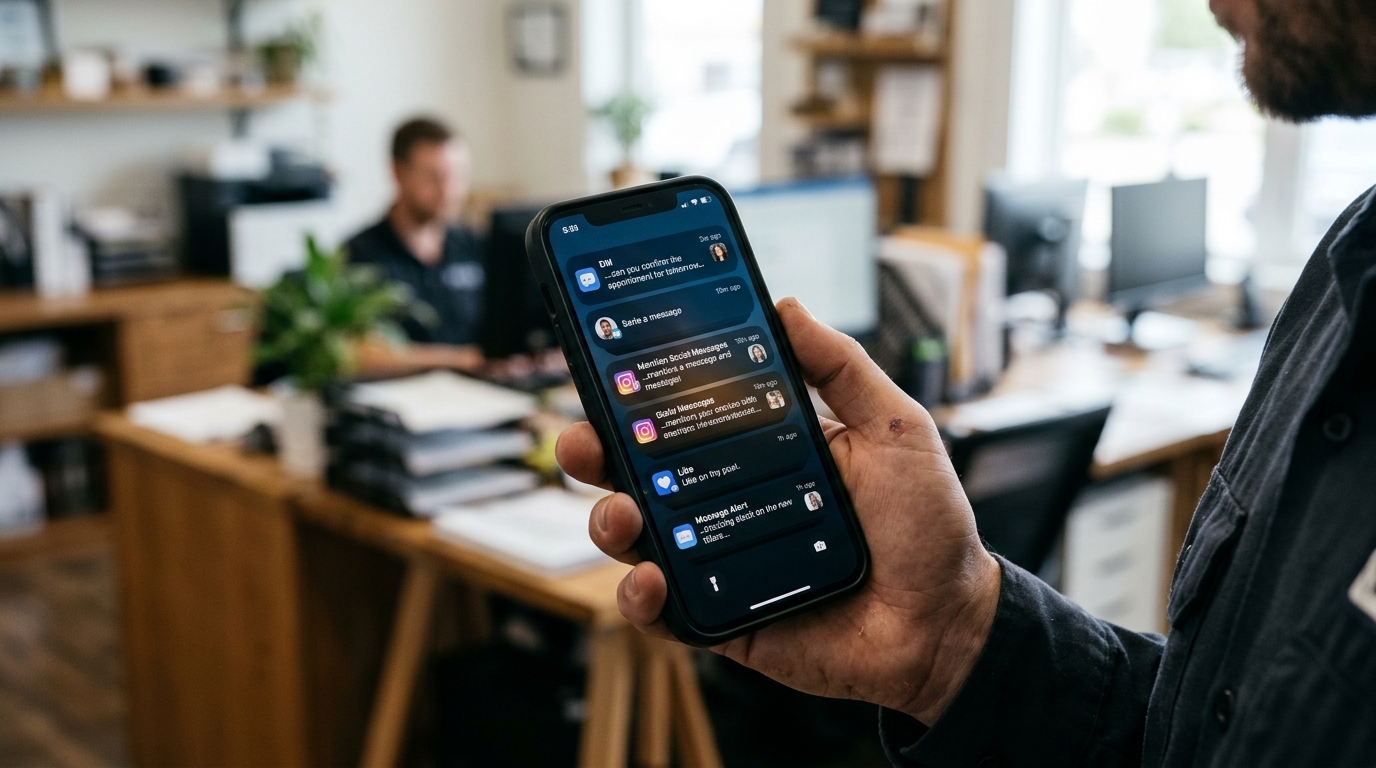
Content creation and scheduling allow posts, stories, and videos to be planned weeks ahead using AI content creation tools and calendar dashboards. Community management monitors DMs, comments, mentions, and reviews to maintain relationships and prevent ghosted accounts, where followers see recent posts but receive no replies to their questions.
Social listening tracks brand sentiment, competitor activity, and industry trends through keyword monitoring and analytics dashboards. Unified inboxes consolidate messages from Facebook, Instagram, Google Business Profile, website chat, SMS, and email into one queue, eliminating tool fatigue.
| Management Approach | Tools Used | Response Time | CRM Integration |
|---|---|---|---|
| Traditional posting | Standalone scheduler | Manual, hours or days | None |
| Modern unified system | CRM with social inbox | AI instant acknowledgment | Full pipeline tracking |
Launch CRM brings social DMs alongside email, SMS, website chat, and phone logs into one dashboard. You manage every customer touchpoint from a single screen instead of switching between apps. Automated workflows ensure qualified leads move through your pipeline without manual handoffs.
How Can CRM Help with Social Media Management?
CRM integration tracks customer lifetime value from the first social comment through repeat purchases, showing which platforms and campaigns generate real revenue instead of vanity metrics. Every social interaction becomes a CRM contact record, with conversation history, lead scores, deal stages, and automated workflows attached.
Launch CRM manages social DMs alongside email and SMS in one inbox, applying the same pipelines, tags, and follow up sequences whether a lead messages on Instagram or fills a web form. Rocket AI agent responds to social messages, answers product questions, qualifies leads, and books appointments directly from DMs without manual intervention.
Reporting dashboards display how social engagement impacts the bottom line, connecting post engagement to closed deals and attributing revenue to specific platforms or campaigns. See that Instagram DMs generated closed deals this month while LinkedIn messages produced none? You know where to invest ad spend and content effort. That visibility turns social media from a guessing game into a data-driven channel.
I Need Conversational AI That Handles Social Commerce Inquiries 24/7: How Does It Work?
Conversational AI is software that understands natural language, interprets customer questions, and provides relevant answers through chat or voice interfaces without requiring a human operator. Launch AI Workforce includes Chat AI for website and social messages and Voice AI for phone calls, delivering instant responses when you're off hours, in meetings, or serving other customers.
The AI reads incoming social commerce questions about pricing, availability, and features, then replies with accurate answers drawn from your product catalog and knowledge base. A lead asks to book a demo or schedule service through Facebook Messenger or Instagram DM. The AI agent checks your calendar, offers time slots, and confirms the appointment automatically.
Missed call text back converts social leads who call your business but can't reach you into active text conversations, capturing phone inquiries that otherwise disappear. A prospect sees your Instagram post, calls the number in your bio, and hangs up after two rings. They receive an instant text: "Sorry we missed you. How can we help today?" The Chat AI continues the conversation from there, qualifying the lead and booking the appointment.
This automation runs continuously across Facebook, Instagram, Google Business Profile, website chat, and SMS, handling hundreds of simultaneous inquiries without hiring additional staff. You wake up to booked appointments, qualified leads in your pipeline, and conversation histories ready for follow up (not a backlog of unanswered messages from overnight).
What Tools Automate Social Media Management?
Many standard tools schedule posts and provide analytics but operate separately from CRM, email marketing, and sales pipelines. Launch CRM combines social inbox management with email marketing, SMS campaigns, booking calendars, workflows, funnels, pipelines, invoicing, and AI agents in one login.
Launch Ads automates ad creation, split testing, and optimization across Meta, TikTok, Google, and other platforms, feeding leads directly into the CRM inbox for instant AI follow up. The integrated Launch stack replaces multiple standalone subscriptions with one platform, cutting monthly software costs and eliminating data silos.
| Tool Type | Capabilities | CRM Integration | AI Agent | Cost Structure |
|---|---|---|---|---|
| Standalone scheduler | Posting, analytics | None or limited API | None | Separate subscription |
| Integrated business system | Social, email, SMS, booking, pipelines, invoicing | Native, full pipeline tracking | Voice and Chat AI included | Single platform fee |
Social leads from your Facebook ads message you at midnight asking about availability. They receive an answer, qualification questions, and a booking link within seconds, all logged in the CRM with full attribution showing which ad generated the conversation. That loop closes the gap between ad spend and revenue, making every dollar measurable.
When Social Media Management Fails: Limits and Common Mistakes
Posting without a CRM backend turns social media into a cost center with no way to measure customer lifetime value or attribute revenue to specific campaigns. Manual response workflows break down when volume increases, leading to ghosted accounts where followers see recent posts but receive no replies to their questions.
Watch out: Posting without CRM integration turns social media into a cost center with no way to measure which campaigns generate revenue.
Outsourcing content creation to agencies that lack access to your CRM data produces generic posts disconnected from your actual sales pipeline and customer behavior. Using separate tools for social scheduling, email marketing, and lead follow up creates gaps where prospects fall through, especially when they switch channels mid-conversation.
Ignoring social commerce automation in 2026 means losing to competitors who reply instantly, while your team sleeps or serves other customers. The business owner who answers a DM quickly wins the sale over the one who checks messages the next morning, even if the second business offers a better product.
Build a Social Media Management System That Converts
Connect social profiles to a unified CRM inbox so every DM, comment, and mention becomes a contact record with full conversation history and pipeline visibility. Enable conversational AI to acknowledge inquiries within seconds, answer common questions, and route qualified leads into automated follow up workflows.
Practical rule: Track every social interaction in your CRM. Comments, DMs, and mentions should become contact records with full conversation history and pipeline visibility.
Schedule content using AI content creation tools that align posts with product launches, promotions, and seasonal campaigns already tracked in your CRM. Track social engagement metrics alongside CRM deal stages and revenue reports to see which platforms and campaigns generate paying customers, not just engagement.
Integrate Launch Ads to automate paid campaigns and Launch AI Workforce to handle the resulting inquiries, closing the loop from ad impression to booked appointment without manual handoffs. Someone comments on your Instagram post asking about pricing. The AI spots the comment, creates a CRM contact, sends a DM with the answer, and books a call if the lead responds, all while you're running your business.
This system turns your social presence from a posting treadmill into a revenue engine where every follower, comment, and message is an opportunity tracked through close. You see which posts drive sales, which platforms deliver customers, and which campaigns generate ROI, so you invest effort where it pays rather than guessing.
Frequently asked questions
How can I manage all my business tools in one platform?
Launch CRM consolidates customer management, email and text marketing, social inbox, booking calendars, workflows, sales funnels, invoicing, and AI agents in one login, replacing multiple separate software subscriptions. The unified dashboard displays social DMs, website chat, SMS, email, and phone call logs in one queue, so you manage every customer touchpoint from a single screen instead of switching between apps. Learn more about the integrated platform and how it replaces multiple tools.
How can I improve my lead response time?
Enable Launch AI Workforce to respond to social messages, website chat, and phone calls within seconds, acknowledging inquiries and providing answers even when you're unavailable. Missed call text back automatically sends a text message to callers who can't reach you, converting phone inquiries into active text conversations that the AI can manage. Automated workflows route qualified leads into follow up sequences, ensuring every prospect receives timely contact without manual intervention.
How can AI automate my customer interactions?
Rocket AI agent reads incoming messages from social DMs, website chat, and SMS, then replies with relevant answers drawn from your knowledge base and product catalog. Voice AI handles phone calls, answers common questions, and transfers complex inquiries to your team, acting as an AI receptionist that never misses a call. Chat AI qualifies leads by asking pre-set questions, then books appointments by checking your calendar and confirming time slots directly in the conversation.
How does Launch CRM help with email and text marketing?
Launch CRM includes email and SMS campaign builders with templates, automation triggers, and segmentation based on CRM tags, deal stages, and customer behavior. Workflows send automated follow up sequences when a social lead books an appointment, abandoned a cart, or reaches a specific pipeline stage, keeping prospects engaged across channels. Reporting dashboards track open rates, click rates, and conversions for every email and text campaign, showing which messages drive revenue.
Can Launch CRM help me build sales funnels?
Launch CRM provides a drag-and-drop funnel builder with landing pages, order forms, upsells, memberships, and automation triggers that move contacts through pipelines as they complete steps. Funnels integrate with social media traffic, email campaigns, and paid ads from Launch Ads, capturing leads and guiding them from first click to closed deal. Abandoned cart follow up, appointment reminders, and review requests run automatically within the funnel, maximizing conversion at every stage.
How does the AI agent handle phone calls and appointments?
Voice AI answers incoming calls, greets callers, and provides answers to common questions using natural language processing trained on your business information. When a caller wants to book an appointment, the AI checks available time slots in your calendar, offers options, and confirms the booking during the call. Missed call text back sends an automated text message to callers who hang up or reach voicemail, allowing the Chat AI to continue the conversation and schedule appointments via text.
What kind of reporting does Launch CRM offer?
Launch CRM dashboards display pipeline stages, deal values, conversion rates, and revenue attribution across email, SMS, social media, and paid ad campaigns. Social engagement metrics connect to CRM contact records, showing which posts, comments, or DMs led to booked appointments and closed deals. Customizable reports track lead sources, response times, campaign ROI, and customer lifetime value, providing the data needed to optimize marketing spend.
How can I manage customer reviews with Launch CRM?
Reviews AI automates review requests via email and SMS after appointments or purchases, increasing the volume of positive feedback on Google, Facebook, and other platforms. The reputation dashboard monitors incoming reviews, alerts you to new feedback, and allows you to respond directly from the CRM without logging into each platform separately. Negative reviews trigger workflows that escalate issues to your team and initiate resolution sequences to protect your brand reputation.
Ready to consolidate your social media management, marketing automation, and sales workflows into one platform that converts followers into customers around the clock? Launch CRM gives you the unified inbox, AI agents, and pipeline tracking that turn social interactions into measurable revenue, not just engagement metrics.

