
Social Media Templates for Escondido Businesses
Last updated November 20, 2026
Social media templates are reusable design formats for posts, stories, and ads that maintain consistent branding across channels. Templates save time by eliminating the need to start from scratch, but they deliver real value only when connected to a CRM that captures, responds to, and converts the leads those posts generate into paying customers.
Table of contents
- What Social Media Templates Actually Are
- Why Templates Alone Won't Grow Your Business
- How to Manage All Your Business Tools in One Platform
- Conversational AI That Handles Social Commerce Inquiries
- Moving from Manual Posting to an Automated Evergreen Workflow
- Improving Lead Response Time
- What Launch CRM Can't Do: Limits and Exceptions
- Frequently Asked Questions
- Stop Designing Posts and Start Capturing Customers
What Social Media Templates Actually Are
Social media templates are pre-designed, reusable graphic and video formats for posts, stories, ads, and profiles. Each template typically includes your brand colors, fonts, logo placement, and content zones so every post looks cohesive whether you're sharing a quote card, a testimonial, or a product announcement. This structure helps maintain a consistent working process and prevents brand drift across channels, according to ROI Digitally.
Popular design platforms like Canva allow teams to build a library of repeatable formats like quote cards and testimonials to speed up high-volume content production. Adobe Express offers similar capabilities with more control over the final look for teams that want precision. Video-first social teams often require specialized templates from platforms like Kapwing to handle repeatable video formats, since video now dominates Instagram, TikTok, and LinkedIn feeds.
Templates cut design time from 30 minutes per post to under 5 minutes. You pick a format, swap in new copy and images, and publish. But templates alone are only half the battle. A modern social media marketing business needs templates connected to scheduling, lead capture, and instant follow-up. Without that pipeline, beautiful posts generate likes but not customers.
Why Templates Alone Won't Grow Your Business
The workflow problem is simple: templates are useless if they aren't part of a publishing and lead-capture system. Most Escondido business owners juggle separate tools for design, scheduling, analytics, and customer messages. This subscription fatigue drains your budget and wastes hours every week switching between apps to see who commented, who sent a DM, and who filled out a form.
Watch out: Templates alone don't respond to DMs, capture phone numbers, or book appointments. Without a CRM, your social posts are just noise.
Static design kits don't respond to DMs, capture phone numbers, or book appointments from social traffic. When a lead comments on your templated post, you won't even know unless you happen to open the app. By the time you reply, they've moved on to a competitor who answered within minutes.
The solution is moving from a social media design kit to an automated workflow that handles DM management and lead response agent capabilities. Launch CRM is an all-in-one platform combining customer management, marketing, and AI tools into one login, eliminating the need to jump between apps. We capture leads from social posts, then immediately text or call them using Rocket, the built-in AI agent that handles lead response, phone calls, and appointment booking, before another business gets the chance.
How to Manage All Your Business Tools in One Platform
Launch CRM consolidates CRM, email marketing, text and SMS marketing, booking calendars, invoicing, text to pay, sales funnels, pipelines, web chat, and social media DM management into one login. That replaces an average of 7 to 12 separate subscriptions that most small businesses carry. You design your templates in Canva or Adobe Express, then upload them to Launch CRM where the platform schedules posts, monitors responses, and routes leads into automated follow-up workflows.
Launch AI Workforce is an instant response system within Launch CRM for managing calls and social messages via AI, offering Voice AI for calls, Chat AI for website and social messages, Reactivate AI for past customers, and Reviews AI for reputation management. When someone comments on your post or sends a DM, Rocket can respond within seconds, ask qualifying questions, and book an appointment directly into your calendar while you're busy running your Escondido business.
Launch Ads is an AI advertising platform that generates creative studio assets and schedules organic posts from the same dashboard, so you can split-test different templates, track which ones generate the most engagement, and refine your content without opening another app. The table below shows how traditional tool stacks compare to the Launch CRM platform.
| Capability | Traditional Tool Stack | Launch CRM Platform |
|---|---|---|
| Design templates | Canva or Adobe Express ($15–30/mo) | External tool, then upload to Launch CRM |
| Scheduling posts | Buffer or Hootsuite ($30–100/mo) | Built in with Launch Ads |
| Lead capture | Separate form builder ($20–50/mo) | Forms, web chat, DM management included |
| Follow-up messages | Email tool + SMS tool ($40–80/mo) | Email marketing, SMS marketing, Voice AI |
| Appointment booking | Calendly or Acuity ($15–30/mo) | Booking calendars with AI agent |
| CRM and pipeline | HubSpot or Salesforce ($50–200/mo) | Included, with automation workflows and invoicing |
| Total monthly cost | $170–490 across 6+ logins | One platform, one login, variable pricing |
That consolidation saves time and money, but the real value is speed. Launch CRM captures leads from social posts, then immediately texts or calls them using the Rocket AI agent to book appointments and answer questions.
Conversational AI That Handles Social Commerce Inquiries
Launch AI Workforce includes Conversation AI and Voice AI, which handle social commerce inquiries, website chat, phone calls, and appointment booking around the clock. They respond within seconds even when your Escondido office is closed. Rocket is the built-in AI agent within Launch CRM that can respond to leads, answer phone calls, book appointments, and help post reviews so follow-up can continue when the owner is busy.
AI marketing automation can handle customer interactions immediately after someone engages with a social post by texting, calling, or chatting with them before a competitor does. When a lead comments on your templated Instagram post, Rocket sends a DM or text within 60 seconds, asks what they need, checks your availability, and books a time without human input. When someone calls your business line after hours, Rocket answers, qualifies the caller, and either books an appointment or routes the message to your phone the next morning.
Quick win: Connect your social accounts to Launch CRM, configure Rocket with your FAQ answers and booking link, and the system begins responding to inquiries within seconds.
Launch CRM's web chat, missed call text back, and Google Business Profile messaging all feed into the same CRM pipeline so no lead falls through the cracks. You see every conversation history, every booking, and every missed opportunity in one dashboard. If you want to understand how AI agents like Rocket handle the interactions generated by your social media templates, read more about autonomous AI agents.
Moving from Manual Posting to an Automated Evergreen Workflow
Building a small set of reusable template formats that can be updated quickly and cycled through an automated publishing system is where true value lives. Instead of creating 20 unique posts every month, you create 5 to 7 core template formats, populate each with fresh copy and images monthly, schedule posts two weeks ahead, and review which templates drive the most DMs and form fills.
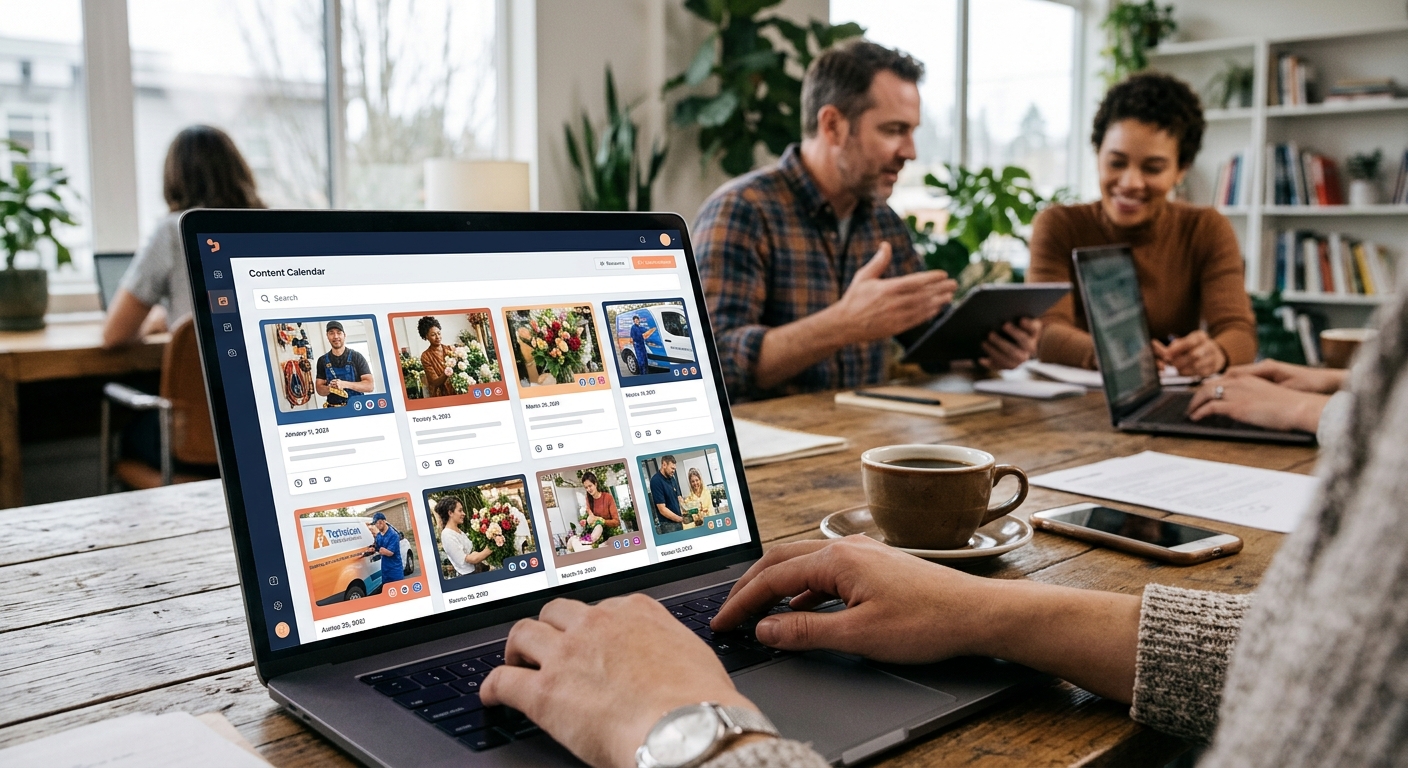
Practical rule: Build 5 to 7 core template formats, populate each with fresh copy monthly, schedule posts two weeks ahead, and review which templates drive the most DMs and form fills.
Launch CRM allows you to split-test social templates across Meta, Google, and TikTok from one dashboard using Launch Ads. The platform tracks engagement, click-through rates, and lead conversion by template type so you know which formats actually book appointments in Escondido versus which ones just collect likes. You can pause underperforming templates and double down on winners without touching each individual platform.
A practical checklist looks like this: select 5 to 7 core template formats (quote card, testimonial card, before-and-after, product showcase, educational carousel, video snippet, event announcement), populate each with fresh copy and images monthly, schedule posts two weeks ahead across Instagram, Facebook, LinkedIn, and TikTok, and review which templates drive the most DMs and form fills every 30 days. The goal is repeatable asset libraries, not one-off viral posts. For more on how AI can help with the content inside those templates, explore our guide to AI content creation.
Improving Lead Response Time
Launch CRM improves lead response time by connecting social templates to a lead management pipeline that texts, calls, or emails every new lead within 60 seconds. It uses the Rocket AI agent to book appointments and answer common questions before a human takes over. Launch CRM captures leads from forms, web chat, missed calls, social DMs, and Google Business Profile messages, then routes them into automated workflows with email marketing, text and SMS marketing, and Voice AI follow-up.
Missed call text back immediately sends a personalized message when a prospect calls your Escondido number and you can't answer, keeping the conversation warm. The text includes a booking link, your hours, and an invitation to reply with questions, so even after-hours calls turn into appointments. Launch CRM's reporting dashboard shows average response time, conversion rate by channel, and which templates generate the highest-quality leads.
If you're running a social marketing business or managing campaigns for clients, this pipeline integration is what separates real revenue growth from vanity metrics. For the broader context of running a social marketing operation using an integrated platform, see our article on social media marketing for businesses.
What Launch CRM Can't Do: Limits and Exceptions
Some tools and AI features depend on the selected plan, so not every suite item is included for every customer. Launch CRM is part of an integrated Launch Commerce stack, not a standalone CRM, and works best when paired with Launch Ads for creative and scheduling. We don't offer native graphic design tools, so you'll still use Canva, Adobe Express, or another design platform to create the initial templates.
Launch CRM excels at lead capture, automated follow-up, and pipeline management. Businesses that need advanced video editing or influencer marketplace features may still require a separate tool. We don't edit 4K video or run influencer campaigns. We capture and convert the leads those campaigns generate.
Launch AI Academy provides weekly coaching to help small business owners move from basic templates to advanced AI automation workflows, addressing the learning curve. If you're new to AI or automation, the academy walks you through setup, troubleshooting, and optimization in live sessions with other business owners who've already built their systems.
Frequently Asked Questions
Where can I find social media templates?
You can find social media templates on design platforms like Canva, Adobe Express, and Kapwing, which offer libraries of pre-built formats for posts, stories, and ads. Many of these tools provide free and paid template collections organized by industry, platform, and content type. Once you have templates, connect them to Launch CRM so every post you publish feeds into your lead capture and follow-up system.
How do social media templates save time?
Social media templates save time by eliminating the need to start each post from scratch, reducing design work from 30 minutes per post to under 5 minutes. Templates maintain a consistent working process and prevent brand drift across channels, as confirmed by ROI Digitally. When paired with Launch CRM's automated publishing and scheduling, templates become part of an evergreen content workflow that runs with minimal daily input.
Can AI create social media content?
Yes, AI can generate social media copy, images, and video concepts, but it works best when you provide templates and brand guidelines as a starting point. Launch Ads is an AI advertising platform that writes, launches, split-tests, and optimizes ads across Meta, Google, YouTube, TikTok, LinkedIn, Snapchat, Spotify, and Microsoft from one dashboard, with an AI Creative Studio and organic post scheduling. Launch CRM's Content AI can help draft captions and email campaigns, then the platform schedules and publishes them alongside your templates.
How do I set up conversational AI for social commerce?
Launch AI Workforce runs inside Launch CRM and includes Conversation AI and Voice AI, which respond to social DMs, website chat, and phone calls around the clock. To set it up, connect your social accounts and phone number to Launch CRM, configure the AI agent with your FAQ answers and booking link, and the system begins responding to inquiries within seconds. Call 760-253-1477 or request a demo at Launch Commerce to see the platform in action.
How does the AI agent handle phone calls and appointments from social leads?
Rocket, the built-in AI agent in Launch CRM, answers inbound phone calls, asks qualifying questions, checks your availability, and books appointments directly into your calendar. When a lead comments or DMs on a social post, Rocket can text or call them immediately with a personalized message and a booking link. The AI agent logs every interaction in the CRM pipeline so your team sees the full conversation history when they follow up.
What kind of reporting does Launch CRM offer for social media ROI?
Launch CRM provides a reporting dashboard that tracks lead source, conversion rate by channel, average response time, revenue by campaign, and which social templates generate the highest-quality leads. You can filter reports by date range, pipeline stage, and team member to identify which Escondido neighborhoods or audience segments respond best to your posts. Launch Data can identify website visitors coming from social posts, so you see the full journey from template to transaction.
How can I manage customer reviews alongside my social media posts?
Launch CRM's Reviews AI automates review requests via text and email after every appointment or purchase, then posts positive reviews as social proof on your profiles. The reputation and review management dashboard aggregates feedback from Google, Facebook, and other platforms into one inbox so you can respond quickly. You can turn five-star reviews into testimonial templates and share them across Instagram, Facebook, and LinkedIn to reinforce trust.
Can Launch CRM help me build sales funnels for my social media traffic?
Yes, Launch CRM includes sales funnels, landing pages, forms and surveys, email marketing, SMS marketing, workflows, pipelines, invoicing, documents and contracts, and text to pay. You can create a funnel that captures leads from a social post, sends a welcome email series, books a call, and closes the sale without leaving the platform. Some funnel and automation features depend on the selected plan, so verify which tools are included when you sign up.
Stop Designing Posts and Start Capturing Customers
Templates are a starting point, not a finish line. The Escondido businesses that win on social media aren't the ones with the prettiest graphics. They're the ones that respond within 60 seconds, book appointments while they sleep, and turn every comment into a conversation. Launch CRM connects your templates to a lead management pipeline that captures, responds to, and converts every inquiry before your competitors even see the notification.
Ready to move from manual posting to an automated system that actually grows revenue? Call 760-253-1477 or visit Launch CRM to see how Launch CRM, Launch Ads, and Launch AI Workforce work together to turn social media templates into paying customers. We're located at 405 W 9th Ave, Escondido, CA 92025, and we'll walk you through the entire setup tailored to your business.

