
Top CRM Software for Small Business
Last updated September 28, 2026
A Customer Relationship Management (CRM) system is a platform for managing all your company's relationships and interactions with customers and potential customers. For small businesses, the best CRM options centralize sales information, automate follow-up communications, and integrate marketing tools to improve lead conversion while reducing the need for multiple software subscriptions.
Table of contents
- Key takeaways
- What CRM Software Does for Small Businesses
- How to Manage All Your Business Tools in One Platform
- Top CRM Software Options for Small Businesses
- Essential Features in Small Business CRM Software
- How to Improve Your Lead Response Time
- How AI Can Automate Customer Interactions
- How Launch CRM Helps with Email and Text Marketing
- Can Launch CRM Help You Build Sales Funnels?
- How the AI Agent Handles Phone Calls and Appointments
- What Reporting Does Launch CRM Offer?
- How to Manage Customer Reviews with Launch CRM
- How to Start with CRM Software
- When CRM Software Is the Wrong Choice
- Choosing the Right CRM for Your Business
- Comparison Table: Top CRM Platforms for Small Business
- Take the Next Step with Launch CRM
- Frequently asked questions
Key takeaways
- CRM software centralizes customer data, automates follow-up, and tracks every interaction from first contact to closed sale.
- All-in-one CRM platforms eliminate the need for 5-12 separate subscriptions by combining sales, marketing, and AI tools in one system.
- AI-powered lead response tools can reply to inquiries in under 60 seconds, dramatically improving conversion rates for small businesses.
- Essential CRM features include lead management, pipeline visualization, email and SMS marketing, reporting dashboards, and third-party integrations.
- Free CRM tiers work for solopreneurs testing the concept, but growing teams need automation, AI agents, and workflow tools to scale efficiently.
What CRM Software Does for Small Businesses
A CRM is a system for managing all your company's relationships and interactions with customers and potential customers, centralizing every email, call, text message, and transaction in one searchable record. U.S. Chamber of Commerce for efficient, authentic relationship-building, according to the U.S. Chamber of Commerce.
Small businesses typically juggle 5-12 separate tools for email marketing, appointment booking, invoicing, web forms, SMS campaigns, and customer support. This creates data silos and missed follow-ups that cost them 30-40% of potential leads. A unified CRM replaces this fragmented stack with a single platform, cutting subscription costs and ensuring every team member sees the same real-time customer information.
Sales reps access complete conversation histories before dialing. Support staff see outstanding invoices while troubleshooting. Managers review pipeline health without exporting CSV files from six different dashboards. The primary purpose of a CRM system is to manage customer relationships, streamline sales processes, and improve marketing efforts so leads move faster from inquiry to purchase.
When a prospect fills out a contact form at 9 p.m., your CRM captures their details, tags them by interest, assigns them to a sales rep, and triggers a welcome email—all before you check your inbox the next morning. That automated efficiency separates businesses that convert 2% of leads from those converting 15%.
How to Manage All Your Business Tools in One Platform
You can consolidate business tools by adopting an all-in-one CRM that combines lead capture, email and SMS marketing, appointment scheduling, sales pipelines, invoicing, and AI-powered automation into a single login, eliminating 5-12 separate subscriptions and the manual data transfers that cause leaks in your sales process.
Consider a typical small business stack: Mailchimp for email ($35/month), Calendly for scheduling ($16/month), Twilio for SMS ($50/month), Stripe for payments ($30 in fees), HubSpot for basic CRM ($45/month), Zapier to connect them all ($30/month), and a form builder ($15/month). That's $221 monthly, plus countless hours configuring integrations and troubleshooting when something breaks. Business consolidation delivers immediate cost savings. Instead of paying $20-$100 per month for each individual tool, an all-in-one platform typically runs $97-$297 per month for unlimited users and full feature access.
A unified platform eliminates integration headaches. No more Zapier workflows breaking, no duplicate contact records, and no missed leads because a webhook failed to fire. When every tool shares the same database, your team gains a single source of truth. Sales sees marketing campaign results. Support sees open invoices. Everyone knows which leads are hot without switching tabs.
An inquiry from web chat automatically creates a contact record, logs the conversation, assigns a pipeline stage, and queues follow-up tasks. When that lead books an appointment, the system sends confirmations, updates the record, and alerts the assigned rep without a single manual step.
Top CRM Software Options for Small Businesses
The best CRM for your business depends on lead volume, growth trajectory, and which features you'll actually use daily. Several platforms consistently rank highly across industries.
HubSpot is a popular CRM known for its free tools and inbound marketing capabilities, offering unlimited users on the free tier plus email marketing, forms, and a basic pipeline—ideal for startups testing the CRM concept before committing budget. The interface is intuitive, onboarding requires minimal training, and the ecosystem scales from free to enterprise if your needs grow. However, advanced automation and reporting sit behind paywalls starting at $800 per month for small teams.
Salesforce is a leading enterprise CRM, also available in versions tailored for small businesses like Salesforce Starter, which packages contact management, opportunity tracking, and mobile access at a lower price point for teams under 10. Salesforce's strength lies in customization and its massive app marketplace, but complexity and cost escalate quickly once you outgrow the Starter tier.
Zoho CRM is often recommended for fast-growing startups and fully remote teams, offering a comprehensive suite that includes AI lead scoring, multichannel communication, and workflow automation at a mid-tier price. Zoho's modular approach lets you add inventory management, help desk, and project tools as your operations expand, making it a solid choice for businesses that expect to hire 20+ staff within two years.
Pipedrive is a CRM recognized for its visual sales pipeline management and focus on sales teams. Many teams suffer from "leaking pipelines" because their CRM lacks the visual cues needed to alert users when a deal has been idle for too long, according to Pipedrive. Reps drag deals across columns (new, qualified, proposal, negotiation, closed) and the dashboard highlights stalled opportunities in red, prompting immediate action.
Monday CRM is a customizable CRM often recommended for small sales and marketing teams that already use Monday.com for project management and want to keep workflows in one ecosystem. Its strength is flexibility: you design boards, fields, and automations to match your exact process rather than conforming to a vendor's template.
Freshsales is a CRM often chosen by independent sales agents and budget-conscious teams, delivering built-in phone, email tracking, and AI-powered deal insights at a lower cost than Salesforce or HubSpot's paid tiers. It's a pragmatic middle ground for teams that need more than the free options but aren't ready for enterprise pricing.
Less Annoying CRM is a simple CRM ideal for solopreneurs and beginners due to its ease of use, offering only the essentials (contacts, calendar, tasks, and notes) with zero learning curve and a flat $15 per user per month. It's deliberately limited, designed for consultants and freelancers who need organization without complexity.
Launch CRM stands apart by combining CRM, marketing automation, sales funnels, and an AI phone agent into one platform, eliminating the need to stitch together HubSpot, Calendly, Mailchimp, and Twilio with expensive middleware. Our AI Agent (Rocket) responds to leads in under 60 seconds, books appointments around the clock, and posts customer reviews automatically—capabilities that would cost $500-$1,200 per month if you subscribed to each tool separately and hired integrators to connect them.
Essential Features in Small Business CRM Software
Small business CRM software must deliver core functionality that improves sales velocity and customer retention without requiring a dedicated IT team to operate.
Lead management is the process of identifying, tracking, and nurturing potential customers from first inquiry through closed sale. Every CRM must provide a central database where you can tag, score, and assign leads automatically. When a form submission arrives, the system should route it based on geography, product interest, or lead score so the right rep follows up within minutes. Tags like "attended webinar," "requested pricing," or "high intent" let you segment audiences for targeted campaigns.
Pipeline visualization shows every deal's stage (new lead, proposal sent, negotiation, closed won) so sales reps know which prospects need a nudge and managers can forecast revenue at a glance. Color-coded cards, drag-and-drop interfaces, and filters by rep, value, or age make it easy to spot patterns. If 40% of deals stall at the proposal stage, you know to refine your pricing presentation or follow-up cadence.
Email and SMS marketing tools let you send targeted campaigns, automate follow-up sequences, and track open rates and click-throughs without switching to Mailchimp or Constant Contact. Drip campaigns nurture cold leads with educational content, abandoned cart sequences recover lost revenue, and re-engagement campaigns win back dormant customers—all triggered by behavior, not manual sends.
Automation is the use of technology to perform tasks with minimal human assistance, often found in CRM for marketing and sales. Workflows can trigger a welcome email when a lead fills a form, assign a task when a deal stalls, or send a review request 7 days after purchase. A single workflow can watch for "invoice paid," wait 3 days, send a thank-you SMS, then wait 4 more days and request a Google review—eliminating manual reminders entirely.
Integration is the ability of a CRM to connect with other business tools and platforms (Zapier, Google Workspace, QuickBooks, Stripe) so data flows seamlessly and you avoid manual re-entry. Native integrations with payment processors ensure invoices sync automatically, calendar connections prevent double-bookings, and accounting links keep your books current without exporting contact lists and transaction logs.
A reporting dashboard provides visual data and analytics on sales, marketing, and customer interactions, showing metrics like lead source ROI, sales rep performance, email campaign conversion rates, and average deal size. Charts update in real time, so Monday morning meetings start with facts instead of guesses. Custom reports slice data by date range, product line, rep, or campaign, letting you measure what actually drives revenue.
Mobile access ensures your sales team can update records, respond to leads, and check the pipeline from their phones, critical for field reps and remote teams. A rep at a trade show can scan a business card, create a contact, log notes, and schedule a follow-up call before the prospect walks away—keeping momentum high and data fresh.
How to Improve Your Lead Response Time
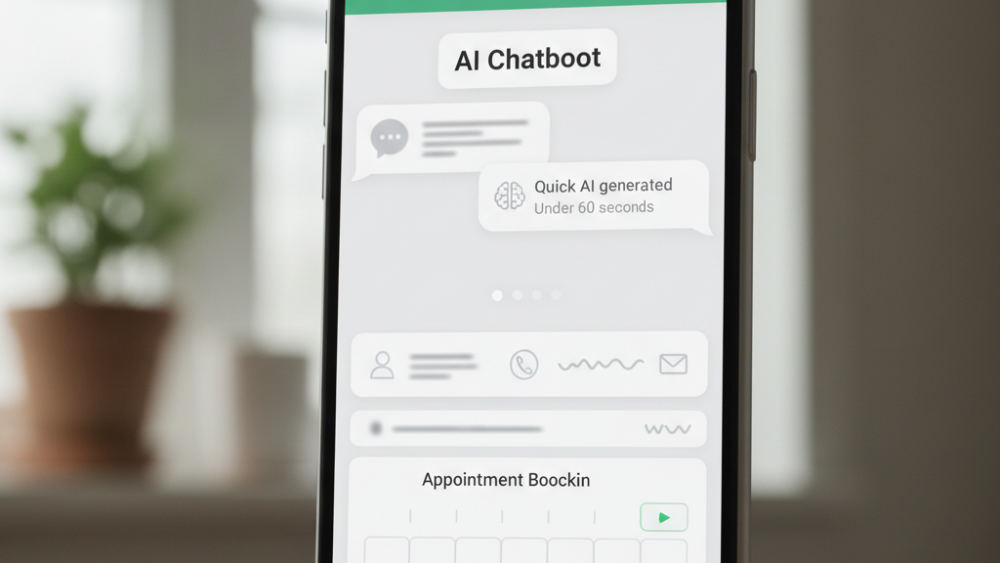
You can improve lead response time by deploying an AI agent that monitors web forms, live chat, and phone calls around the clock and replies in under 60 seconds with personalized answers, appointment booking links, and immediate next steps—eliminating the hours or days that manual follow-up typically requires.
Contacting a lead within the first five minutes increases conversion probability by 21× compared to waiting 30 minutes, yet the average small business takes 42 hours to respond. Launch CRM's AI Agent (Rocket) responds to leads in under 60 seconds, answers phone calls with natural conversation, books appointments directly into your calendar, and posts customer reviews automatically, ensuring no inquiry goes cold.
When a prospect submits a form at 11 p.m., the AI Agent sends a personalized text within seconds, answers their first question, and offers three booking slots for the next business day. By the time you clock in the next morning, half your appointments are already confirmed.
A structured approach to sales pipeline management helps teams identify stalled deals faster, prioritize follow-ups and maintain visibility across every stage of the customer journey, according to Pipedrive. Visual pipelines combined with automated alerts mean no lead sits idle for more than 24 hours. If a prospect opens your proposal but doesn't reply within two days, the system queues a follow-up task and suggests a text template.
Automated SMS and email triggers can fire the moment a form is submitted, a call is missed, or a proposal is opened, keeping your brand top of mind while competitors are still checking voicemail. A missed call at 2 p.m. triggers a text by 2:01 p.m. saying "Sorry we missed you—book a callback here," and the link drops the lead straight into your calendar. That immediacy turns 30-50% of missed calls into booked conversations, recovering revenue that used to vanish.
How AI Can Automate Customer Interactions
AI can automate customer interactions by deploying chatbots for instant web chat replies, natural-language phone agents that answer common questions and book appointments, and email responders that segment inquiries and route urgent requests to live staff—handling up to 80% of routine inquiries without human intervention.
Some CRMs offer AI-native features that can enhance automation and personalized interactions, according to Zapier, including predictive lead scoring, sentiment analysis of support tickets, and content generation for email campaigns. Predictive scoring uses historical data to rank leads by conversion probability, so your team calls the hottest prospects first. Sentiment analysis flags angry or frustrated messages, escalating them to a manager before a customer churns.
Launch CRM's AI Employee Suite includes six specialized AI teammates: Conversation AI for chat, Voice AI for phone calls, Reviews AI for reputation management, Content AI for email and social posts, Funnel AI for landing pages, and Workflow AI for complex automation sequences. Each teammate operates around the clock, learning from every interaction to improve responses, personalize messaging, and identify patterns your human team might miss.
An AI assistant can draft email replies, summarize call transcripts, suggest next best actions based on deal stage, and even generate personalized video scripts for outreach campaigns. After a discovery call, the assistant reviews the transcript, drafts a follow-up email summarizing agreed next steps, and queues a task to send pricing in 48 hours—turning 20 minutes of admin work into 20 seconds. For more details on these capabilities, explore AI-powered workflow automation.
AI phone agents handle inbound calls around the clock, answer frequently asked questions, capture caller details, and book appointments directly into your CRM calendar—freeing your team to focus on high-value conversations and closing deals. A caller asking "What are your hours?" gets an instant answer, while one asking for a quote is walked through qualifying questions, then offered booking slots. The AI Agent handles the routine so your staff handles the complex.
How Launch CRM Helps with Email and Text Marketing
Launch CRM helps with email and text marketing by providing built-in campaign builders, automated drip sequences, and SMS broadcast tools that send personalized messages based on contact tags, pipeline stage, and behavior triggers—all without needing Mailchimp, ActiveCampaign, or Twilio subscriptions.
You can segment contacts by lead source, purchase history, or engagement level, then launch targeted campaigns that nurture cold leads, re-engage past customers, or promote new offers to your hottest prospects. A segment tagged "downloaded pricing guide" receives a three-email sequence over two weeks: case studies on day one, a limited-time discount on day seven, and a final "last chance" reminder on day fourteen. Contacts who open every email get escalated to a sales rep for a personal call.
Automated workflows trigger follow-up emails when a lead downloads a resource, text a reminder 24 hours before an appointment, and send a thank-you SMS with a review link immediately after a purchase. The entire customer journey (from first touch to testimonial) runs on autopilot, maintaining engagement without manual intervention. A workflow might send a welcome email, wait three days, deliver a how-to video, wait another week, then offer a consultation if the contact hasn't booked yet.
The platform tracks open rates, click-throughs, and reply rates in a unified reporting dashboard, so you see which subject lines and calls to action drive the most conversions. If "Save 20% this week" generates twice the clicks of "New features inside," you replicate that language across future campaigns. A/B testing splits a campaign between two subject lines, sending each to half your list, then automatically sends the winner to the remainder once statistical significance is reached.
Because email, SMS, web chat, and social DMs all live in the same inbox, your team never loses context—every conversation thread is attached to the contact record, ensuring continuity even when multiple team members assist the same customer. A prospect who starts a conversation on Facebook Messenger, follows up via email, and calls your office encounters a team that already knows their history, preferences, and pain points.
Can Launch CRM Help You Build Sales Funnels?
Yes, Launch CRM helps you build sales funnels by offering a drag-and-drop funnel builder, landing page templates, order forms, upsell pages, and membership site hosting—everything needed to capture leads, present offers, collect payments, and deliver digital products within a single platform, from first click to invoice.
A sales funnel illustrates the customer journey from initial awareness to conversion, guiding prospects through awareness, consideration, decision, and post-purchase loyalty stages with the right message and call to action at each step. A typical funnel starts with a free guide or webinar to capture emails, nurtures leads with educational content, presents a core offer with testimonials and urgency, then upsells complementary products after purchase. Each page is optimized for one action, reducing friction and boosting conversion rates.
The Funnel AI teammate generates complete funnel structures based on your offer—suggesting page copy, email sequences, and conversion tactics—so you can launch a new campaign in hours instead of weeks. You input "30-day coaching program, $997, target audience: small business owners," and Funnel AI outputs a landing page, a three-video nurture series, an application form, a thank-you page, and five follow-up emails—all pre-written and ready to customize.
Integrated payment processing through Stripe or PayPal, text-to-pay links, and automated invoicing mean you close deals and collect revenue without leaving the CRM or asking customers to sign up for a separate checkout. A prospect clicks "Buy now," enters payment details on a Launch CRM-hosted page, and receives instant access to your course or service—while you receive a notification, the contact is tagged "customer," and a welcome sequence begins.
Because the funnel lives inside your CRM, every visitor, lead, and purchaser is automatically added to your contact database and tagged appropriately, feeding your reporting dashboard and future marketing campaigns with zero manual export-import. You see exactly which traffic source delivered the highest-value customers, which funnel step loses the most prospects, and which upsell converts best—data you can act on immediately to refine your campaigns and maximize ROI.
How the AI Agent Handles Phone Calls and Appointments
The AI Agent (Rocket) handles phone calls and appointments by answering inbound calls around the clock with natural-language conversation, collecting caller details, answering frequently asked questions from your knowledge base, and booking available appointment slots directly into your calendar—all without human pickup, typically resolving 70-80% of routine calls autonomously.
Launch CRM's AI Agent uses Voice AI to conduct two-way phone conversations, ask qualifying questions, and even handle objections with pre-programmed responses tailored to your business. When a prospect calls at 9 p.m. asking about service availability and pricing, the AI answers immediately, provides accurate information based on your scripts, and offers to schedule a consultation rather than forcing the caller to leave voicemail or wait until morning.
When a caller requests an appointment, the AI checks your real-time calendar availability, offers time slots, confirms the booking, and sends an SMS confirmation with calendar invite—eliminating phone tag and double-bookings. If you're free Tuesday at 2 p.m. and Thursday at 10 a.m., the AI presents those options, listens to the caller's choice, reserves the slot, and updates your pipeline so the contact appears in your "appointment scheduled" stage.
Missed calls trigger an automatic text back within seconds, providing a link to book online or re-engage the conversation via SMS, ensuring no lead slips through the cracks. A prospect dials during lunch, hangs up when it rings five times, and receives a text: "Hi, this is [Your Business]. I see we missed your call—how can I help today? Click here to book a time: [link]." That instant response keeps the conversation alive and demonstrates responsiveness even when you're unavailable.
Call recordings, transcripts, and sentiment scores are attached to the contact record, so when you do speak with a prospect, you see the full history and can pick up exactly where the AI left off. You review the transcript before the scheduled call, noting that the prospect asked about pricing, mentioned a competitor, and expressed urgency about a project deadline—giving you context to personalize your pitch and close faster.
What Reporting Does Launch CRM Offer?
Launch CRM offers a reporting dashboard that provides visual data and analytics on lead sources, pipeline velocity, email and SMS campaign performance, sales rep activity, revenue by product or service, and customer lifetime value—delivered in real-time charts and exportable reports that help you make informed decisions daily.
Robust reporting features in a CRM help businesses track performance by revealing which marketing channels generate the most leads, which reps close the highest percentage of deals, and which products drive the most revenue—allowing you to allocate budget, coach staff, and refine offers based on evidence rather than guesswork.
You can track conversion rates at every funnel stage, identifying exactly where prospects drop off and which marketing channels deliver the highest ROI. If 200 leads entered your pipeline last month but only 40 moved from "qualified" to "proposal sent," the dashboard highlights that bottleneck, prompting you to audit your qualification script or increase follow-up frequency in that stage.
Affiliate manager reports show which referral partners generate the most revenue, simplifying commission payouts and partner relationship management. You see that Partner A sent 15 leads that converted to $12,000 in sales, while Partner B sent 50 leads that converted to $3,000—data that helps you prioritize relationship-building and adjust commission tiers.
Team performance dashboards reveal which sales reps close the most deals, respond fastest to leads, and maintain the healthiest pipelines, enabling data-driven coaching and accountability. When one rep consistently books appointments in under 90 minutes while another averages 24 hours, you can pair them for training or investigate whether territory assignment is creating imbalance.
Automated report delivery sends weekly or monthly summaries to your inbox, so you stay on top of key metrics without logging in daily. Custom report builders let you slice data by date range, contact tag, product line, or any other dimension relevant to your business. You schedule a Monday morning email that lists new leads, deals closed, revenue by service, and top performers—keeping leadership informed and aligned without manual spreadsheet work.
How to Manage Customer Reviews with Launch CRM
You can manage customer reviews with Launch CRM by automating review requests via SMS or email after a purchase or service completion, monitoring reviews across Google, Facebook, and industry-specific platforms from a unified inbox, and using the Reviews AI teammate to draft responses, flag negative feedback for immediate attention, and post positive reviews to your social profiles automatically.
Managing customer reviews is crucial for reputation because online ratings influence 90% of buying decisions. A streamlined review process ensures you capture feedback at the optimal moment (when satisfaction is highest) while responding fast enough to turn critics into advocates and amplify praise across channels.
The platform triggers a review request workflow 3-7 days after an appointment or invoice is marked paid, sending a personalized message with direct links to your Google Business Profile, Yelp, or Trustpilot page. A contractor completes a kitchen remodel, marks the invoice paid, and the homeowner receives a text three days later: "We hope you love your new kitchen! Mind sharing your experience? [link to Google review]." Timing is automatic, the message feels personal, and the customer clicks through while the project is still fresh.
Positive reviews are automatically shared to your social media accounts and embedded in marketing emails, amplifying social proof and building trust with new prospects. A five-star review lands on Google, and within minutes the Reviews AI posts it to your Facebook page, adds it to your "customer testimonials" email template, and updates your website's reviews widget—maximizing visibility without manual copy-paste.
Negative reviews trigger an internal alert and suggest a response template, so you can address concerns publicly and privately before they escalate. A frustrated client posts a two-star review at midnight; you wake to a notification with a draft reply: "We're sorry to hear about your experience and want to make this right. Please call us at [number] so we can resolve this immediately." You approve the response, post it publicly, and reach out privately to turn the situation around.
Reputation and review management dashboards show your average star rating, review volume trends, and sentiment analysis over time, helping you measure customer satisfaction and identify service improvements. You see your rating rose from 4.2 to 4.6 stars over six months, that "communication" appears in 70% of positive reviews, and "delays" appears in most negative ones—insights that guide training priorities and process changes.
How to Start with CRM Software
To start with CRM software, first define your must-have features (lead capture, pipeline management, email automation), then choose between a free tier for solo testing or a paid all-in-one platform if you need AI, SMS, and funnel tools immediately. Import your existing contacts from spreadsheets or your old system, set up one or two automated workflows (like a welcome email or missed call text back), and train your team with a 30-minute walkthrough before going live.
Many small businesses begin with a free CRM like HubSpot or Less Annoying CRM to learn the basics, then upgrade or migrate to a more feature-rich platform once they hit user limits or need advanced automation. A solopreneur manages 50 contacts in a spreadsheet, tries a free tier to see how pipeline stages and email templates work, then realizes after three months that AI-powered follow-up and SMS would save hours—prompting a switch to a platform like Launch CRM that scales with growth.
If you're managing multiple subscriptions today (email marketing, scheduling, invoicing, SMS), consider jumping straight to an all-in-one solution like Launch CRM to avoid a second migration six months later. Why spend time integrating HubSpot, Calendly, Mailchimp, and Twilio, then migrate again when you need AI or funnel builders, when you can consolidate from day one and immediately benefit from unified reporting and workflows?
Schedule a data audit before import: clean duplicate contacts, standardize field names (First Name, Last Name, Email, Phone), and map custom fields so your CRM database is accurate from day one. Export your spreadsheet, scan for duplicate phone numbers, merge records with conflicting emails, and ensure every row has complete information—because importing messy data creates headaches later when you try to segment campaigns or run reports.
Set up your first sales pipeline with 4-6 stages that mirror your actual sales process (for example, New Lead → Qualified → Proposal Sent → Negotiation → Closed Won) and assign one team member to test it for a week before rolling out company-wide. A single rep uses the pipeline with real leads, identifies confusing labels or missing stages, and provides feedback so you refine the structure before asking the entire sales floor to adopt it—boosting buy-in and accuracy.
Launch CRM offers onboarding support, template libraries, and training resources to help businesses get up and running in days, not months. Schedule a setup call, choose templates that match your industry, and receive step-by-step guidance on importing contacts, building workflows, and training staff—ensuring you extract value from week one rather than wrestling with configuration alone. For a broader look at CRM options, see this overview of systems for lead management.
When CRM Software Is the Wrong Choice
CRM software is the wrong choice if your business has fewer than 20 contacts per month, no repeat customers, and zero follow-up process—spreadsheets or a simple contact app will suffice and cost nothing, since the overhead of learning and maintaining a CRM exceeds the benefit.
Solopreneurs who close every deal in a single conversation and never send marketing emails may find even a free CRM overkill; a paper notebook and Google Calendar can be faster. A freelance photographer books five weddings per year through word-of-mouth, invoices through PayPal, and has no lead nurturing sequence—there's simply no pipeline or automation need that justifies CRM complexity.
Companies with highly complex, multi-year enterprise sales cycles spanning dozens of stakeholders may need specialized tools like Salesforce Enterprise or Microsoft Dynamics, not the streamlined platforms designed for small business speed. A defense contractor bidding on government contracts with 18-month timelines, compliance documentation, and procurement committees needs features and security layers that small-business CRMs like Pipedrive or Zoho cannot deliver.
If your team refuses to log activities and update records, the CRM will become a ghost town within weeks, delivering zero ROI. Adoption and accountability matter more than features.
Businesses that require on-premise, air-gapped data storage for regulatory reasons cannot use cloud-based CRMs like HubSpot, Zoho, or Launch CRM; they need self-hosted or industry-specific compliance solutions. A healthcare practice governed by strict HIPAA rules or a financial firm with SEC mandates may need a CRM deployed on internal servers with custom audit trails, encryption, and access controls—capabilities beyond typical SaaS offerings.
Choosing the Right CRM for Your Business
Start by listing the tools you pay for today (email marketing, appointment scheduling, invoicing, SMS, web forms) and calculate your total monthly spend. If it exceeds $200, an all-in-one CRM will likely save money while adding AI and automation you don't have now.
Evaluate how many leads you generate weekly. If you get 10+ inquiries and struggle to follow up within an hour, prioritize CRMs with AI agents, automated SMS, and mobile apps that alert reps instantly. A contractor receives 15 form submissions per week but only responds to six within a day because the rest land while on job sites—an AI-powered platform texts leads in under 60 seconds, books site visits automatically, and captures the deals competitors miss.
Consider your growth trajectory. Free CRMs cap users, contacts, or email sends, so if you plan to hire two salespeople or double your lead volume in the next year, choose a platform with scalable pricing that won't force a painful migration. HubSpot's free tier allows 1,000 contacts and limits automation; you hit that ceiling, face a jump to $50+ per month, and realize you need SMS, funnels, and AI anyway—making Launch CRM's all-in-one approach more economical from the start.
Test integration compatibility by checking whether your CRM natively connects to the tools you must keep (QuickBooks for accounting, Stripe for payments, Google Workspace or Microsoft 365 for email) or offers a robust API and Zapier support. A consultant bills through QuickBooks and schedules via Google Calendar; the CRM must sync invoices and appointments automatically, or manual double-entry will sabotage adoption within weeks.
Comparison Table: Top CRM Platforms for Small Business
| CRM Platform | Best For | Key Strengths | Starting Price | AI Features |
|---|---|---|---|---|
| HubSpot | Startups testing CRM | Free tier, inbound marketing | Free (paid from $800/mo) | Basic chatbot |
| Salesforce Starter | Teams under 10 | Customization, app marketplace | $25/user/mo | Add-on AI products |
| Zoho CRM | Fast-growing startups | Comprehensive suite, modular | $14/user/mo | AI lead scoring |
| Pipedrive | Sales-focused teams | Visual pipeline management | $14/user/mo | Deal insights |
| Monday CRM | Marketing + sales teams | Customizable workflows | $10/user/mo | Limited |
| Freshsales | Budget-conscious agents | Built-in phone, email tracking | $15/user/mo | Deal predictions |
| Less Annoying CRM | Solopreneurs, beginners | Simplicity, flat pricing | $15/user/mo | None |
| Launch CRM | Growth-focused businesses | All-in-one, AI agent, consolidation | $97-$297/mo unlimited | Six AI teammates, phone agent |
Take the Next Step with Launch CRM
If you're ready to consolidate your business tools, automate lead follow-up, and deploy an AI agent that responds in under 60 seconds, visit our all-in-one platform for CRM and marketing automation or call 760-253-1477 to speak with our team.
Launch CRM replaces 5-12 separate subscriptions with one AI-powered platform that handles CRM, email and SMS marketing, sales funnels, appointment booking, invoicing, and reputation management—saving time, cutting costs, and ensuring no lead ever goes cold. Businesses across industries report immediate cost savings of $500-$1,200 per month by switching from fragmented tool stacks to our unified system, while simultaneously improving lead response time, pipeline visibility, and customer satisfaction.
Our AI Agent (Rocket) and six-member AI Employee Suite work around the clock to answer calls, book appointments, post reviews, draft content, and manage workflows, giving your small business the operating leverage of a much larger team. You gain the efficiency of a full-time receptionist, marketing coordinator, and sales assistant without the payroll expense or management overhead—freeing you to focus on strategic growth, customer relationships, and high-value work only you can do.
Whether you're just starting with CRM software or migrating from a patchwork of tools, we offer onboarding support, template libraries, and a reporting dashboard that delivers real-time insight into every lead, deal, and campaign. You're never alone in the transition: our team walks you through data import, pipeline setup, workflow configuration, and staff training, ensuring you're productive from week one. To see the full suite of pricing options for AI features, check out what AI capabilities cost.
Frequently asked questions
What are the best CRM software options for small businesses?
The best CRM options for small businesses include HubSpot for its free tier and inbound marketing tools, Salesforce Starter for teams familiar with the Salesforce ecosystem, Zoho CRM for comprehensive features at mid-tier pricing, Pipedrive for visual sales pipeline management, and an all-in-one platform combining CRM, marketing automation, sales funnels, and AI agents in one subscription. Less Annoying CRM works for solopreneurs who need only contacts, calendar, and tasks, while Freshsales suits independent sales agents on a budget. Choose based on your must-have features: if you need AI-powered lead response and tool consolidation, platforms like Launch CRM deliver immediate ROI by replacing 5-12 separate subscriptions.
Which CRM software should small businesses choose?
Small businesses should choose a CRM that matches their lead volume, growth plans, and current tool stack. Start with a free tier like HubSpot if you generate fewer than 50 leads per month and have time for manual follow-up, or jump to an all-in-one platform if you generate 100+ leads monthly, need AI automation, and want to consolidate email marketing, SMS, scheduling, and invoicing into one login. Evaluate integration needs (does it connect to QuickBooks, Stripe, Google Workspace?) and test mobile apps to ensure your sales team can update records on the go. If fast lead response is critical, prioritize platforms with AI agents, automated SMS, and real-time alerts that cut response time to under 60 seconds.
What features should small business CRM software have?
Small business CRM software must include lead management with tagging and assignment, a visual sales pipeline, email and SMS marketing with automation, reporting dashboards that show lead source ROI and pipeline velocity, and mobile access for remote teams. Integration capability with QuickBooks, Stripe, Zapier, and Google Workspace ensures data flows seamlessly, while workflow automation handles repetitive tasks like welcome emails, appointment reminders, and review requests. AI features (chatbots, phone agents, predictive lead scoring) are rapidly becoming table stakes, with tools like Launch CRM's AI Agent (Rocket) responding to leads in under 60 seconds and booking appointments automatically.
How can I manage all my business tools in one platform?
You consolidate business tools by adopting an all-in-one CRM that combines lead capture, email and SMS marketing, appointment scheduling, sales pipelines, invoicing, and AI-powered automation into a single login, eliminating 5-12 separate subscriptions and the manual data transfers that cause leaks in your sales process. Launch CRM bundles web chat, missed call text back, forms, workflows, email marketing, SMS campaigns, sales funnels, invoicing, contracts, and booking calendars under one roof, saving $500-$1,200 per month compared to stitching together HubSpot, Calendly, Mailchimp, and Twilio. A unified platform also delivers a single source of truth: sales sees marketing results, support sees invoices, and everyone knows which leads are hot without switching tabs.
How can I improve my lead response time?
You improve lead response time by deploying an AI agent that monitors web forms, live chat, and phone calls around the clock and replies in under 60 seconds with personalized answers, appointment booking links, and immediate next steps—eliminating the hours or days that manual follow-up typically requires. Launch CRM's AI Agent (Rocket) responds to leads in under 60 seconds, answers phone calls with natural conversation, books appointments directly into your calendar, and ensures no inquiry goes cold. Automated SMS and email triggers fire the moment a form is submitted or a call is missed, keeping your brand top of mind while competitors check voicemail.
How can AI automate my customer interactions?
AI automates customer interactions by deploying chatbots for instant web chat replies, natural-language phone agents that answer common questions and book appointments, and email responders that segment inquiries and route urgent requests to live staff—handling up to 80% of routine inquiries without human intervention. Launch CRM's AI Employee Suite includes six specialized AI teammates: Conversation AI for chat, Voice AI for phone calls, Reviews AI for reputation management, Content AI for email and social posts, Funnel AI for landing pages, and Workflow AI for complex automation sequences. AI phone agents handle inbound calls around the clock, capture caller details, and book appointments directly into your CRM calendar, freeing your team to focus on closing deals.
How does Launch CRM help with email and text marketing?
Launch CRM helps with email and text marketing by providing built-in campaign builders, automated drip sequences, and SMS broadcast tools that send personalized messages based on contact tags, pipeline stage, and behavior triggers—all without needing Mailchimp, ActiveCampaign, or Twilio subscriptions. Automated workflows trigger follow-up emails when a lead downloads a resource, text reminders 24 hours before appointments, and thank-you SMS with review links immediately after purchase. The platform tracks open rates, click-throughs, and reply rates in a unified reporting dashboard, showing which subject lines and calls to action drive the most conversions.
Can Launch CRM help me build sales funnels?
Yes, Launch CRM helps you build sales funnels by offering a drag-and-drop funnel builder, landing page templates, order forms, upsell pages, and membership site hosting—everything needed to capture leads, present offers, collect payments, and deliver digital products within a single platform. The Funnel AI teammate generates complete funnel structures based on your offer, suggesting page copy, email sequences, and conversion tactics so you can launch a new campaign in hours instead of weeks. Integrated payment processing, text-to-pay links, and automated invoicing mean you close deals and collect revenue without leaving the CRM or asking customers to sign up for separate checkout.
How does the AI agent handle phone calls and appointments?
The AI agent handles phone calls and appointments by answering inbound calls around the clock with natural-language conversation, collecting caller details, answering frequently asked questions, and booking available appointment slots directly into your calendar—typically resolving 70-80% of routine calls autonomously. Launch CRM's AI Agent (Rocket) uses Voice AI to conduct two-way phone conversations, ask qualifying questions, handle objections, and send SMS confirmations with calendar invites once bookings are made. Missed calls trigger an automatic text back within seconds, providing a link to book online or re-engage via SMS, ensuring no lead slips through the cracks.
What kind of reporting does Launch CRM offer?
Launch CRM offers a reporting dashboard that provides visual data and analytics on lead sources, pipeline velocity, email and SMS campaign performance, sales rep activity, revenue by product, and customer lifetime value—delivered in real-time charts and exportable reports. You can track conversion rates at every funnel stage, identifying exactly where prospects drop off and which marketing channels deliver the highest ROI. Automated report delivery sends weekly or monthly summaries to your inbox, and custom report builders let you slice data by date range, contact tag, product line, or any other dimension relevant to your business.
How can I manage customer reviews with Launch CRM?
You manage customer reviews with Launch CRM by automating review requests via SMS or email after a purchase, monitoring reviews across Google, Facebook, and industry platforms from a unified inbox, and using the Reviews AI teammate to draft responses, flag negative feedback, and post positive reviews to social profiles automatically. The platform triggers a review request workflow 3-7 days after an appointment or invoice is marked paid, sending a personalized message with direct links to your Google Business Profile or Yelp page. Reputation dashboards show your average star rating, review volume trends, and sentiment analysis over time, helping you measure customer satisfaction and identify service improvements.
Selecting the right CRM software transforms how small businesses manage leads, nurture relationships, and close sales—but only when the platform matches your actual workflow, growth plan, and budget. The platforms covered here range from free starter options ideal for solopreneurs testing the concept to all-in-one systems that consolidate a dozen subscriptions, deploy AI agents, and scale effortlessly as your team grows. Make your choice based on lead volume, integration needs, and the features you cannot compromise. Then commit to training, adoption, and consistent data entry, because even the most powerful CRM delivers zero value if your team won't use it.